Modern Portfolio & Blog Platform – Full-Stack Next.js Application
A sophisticated full-stack portfolio and blog platform built with Next.js, featuring multilingual support, interactive components, real-time filtering, and an educational JavaScript game.
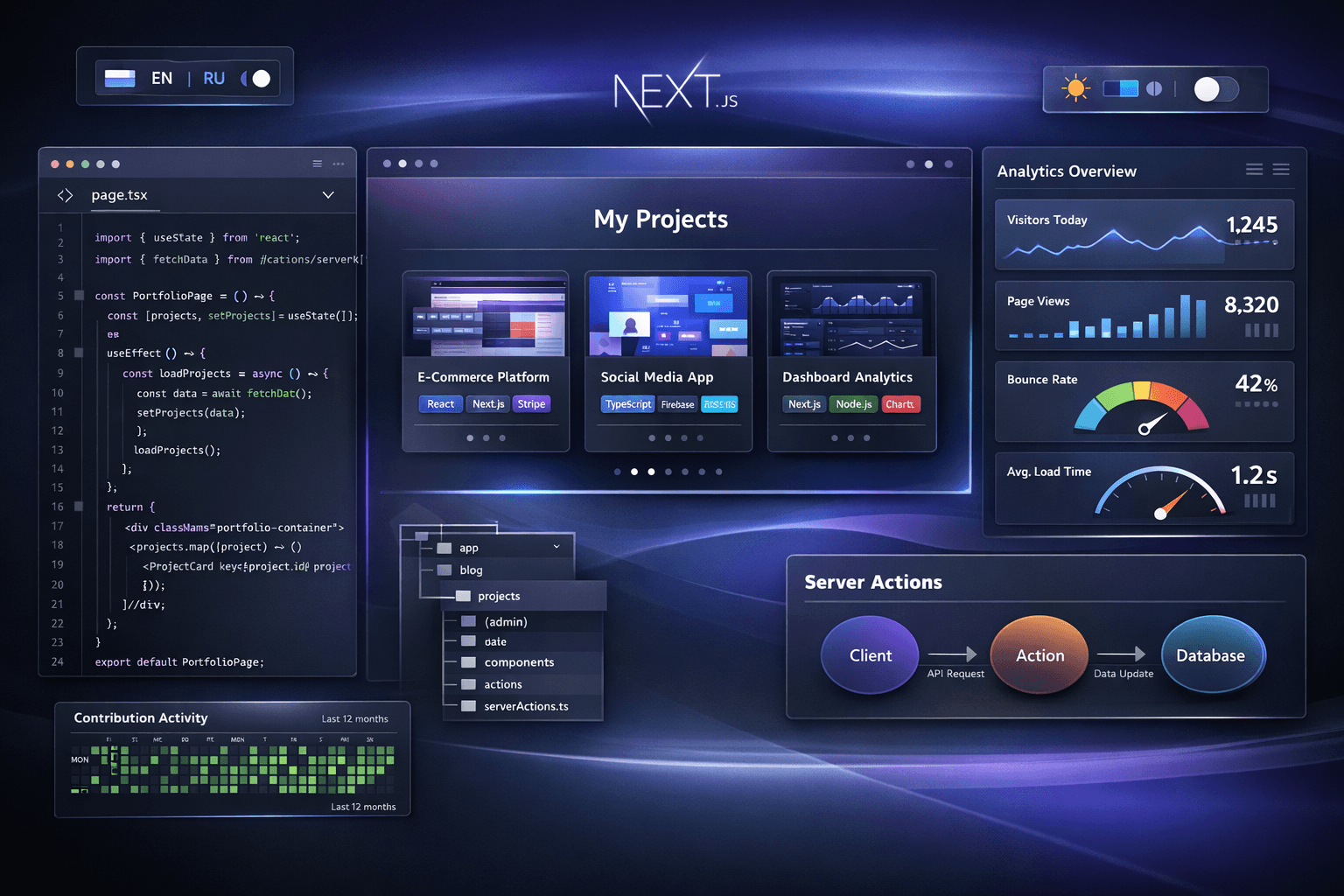
Modern Portfolio & Blog Platform – Full-Stack Next.js Application
🚀 Live Demo: Explore the Platform
📸 Platform Preview

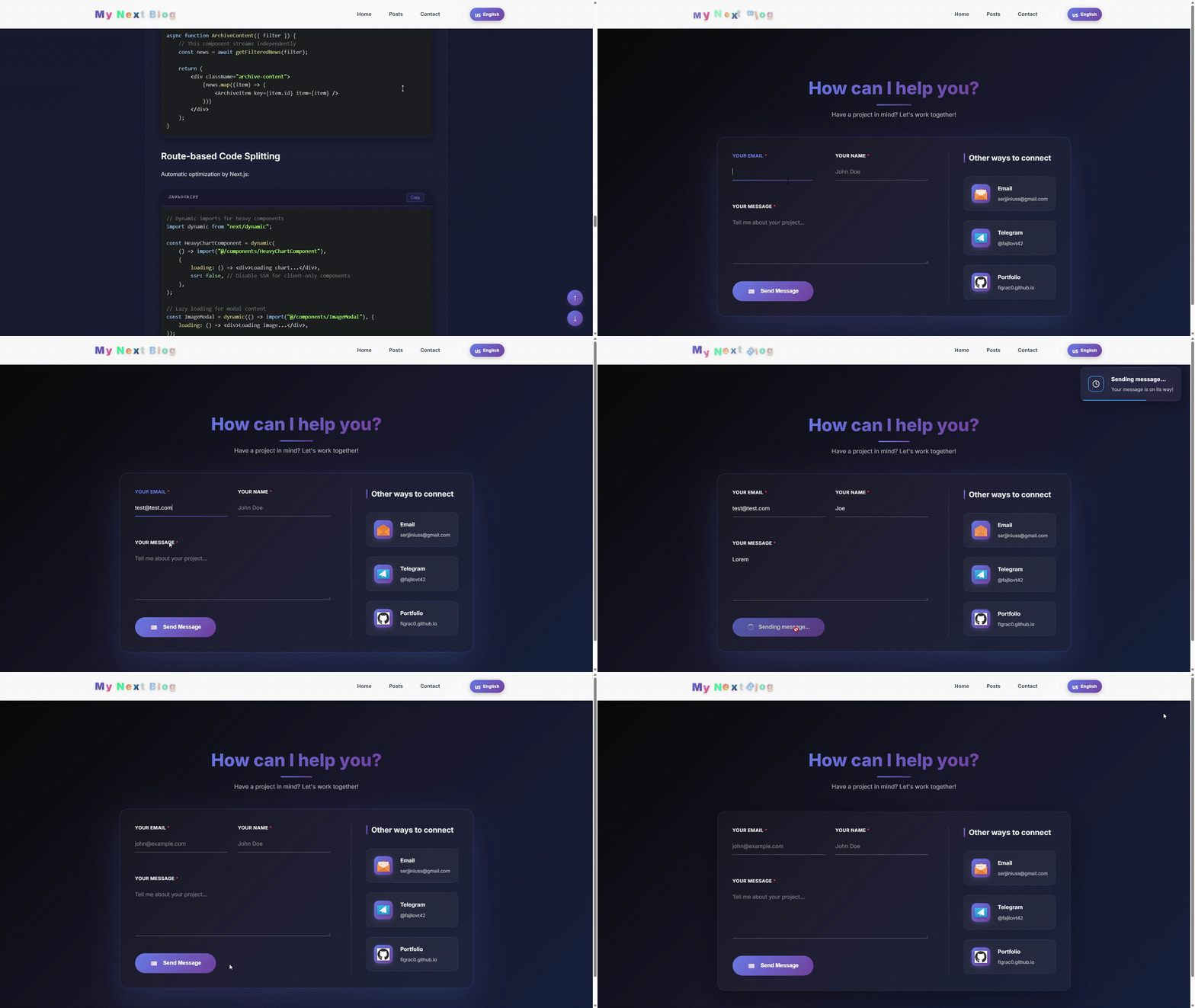
🚀 Quick Links
- 🌐 Live Demo - Explore the full platform
- 💻 GitHub Repository - View the source code
📋 Table of Contents
- 🚀 Project Overview
- ✨ Core Features & Architecture
- 🏗️ Technical Stack Deep Dive
- 🎮 Interactive Components
- 🔧 Development & Deployment
- 📈 Performance & Optimization
- 🎯 Key Technical Decisions
- 🚀 Future Enhancements
🚀 Project Overview
This is a sophisticated, full-featured Next.js blog and portfolio platform that serves as both a personal portfolio and a technical blog. The platform demonstrates advanced React patterns, state management, modern web development practices, and includes an educational JavaScript game for interactive learning.
The project combines multiple technical challenges into a cohesive application:
- Portfolio showcase for projects and technical articles
- Multilingual blog with English and Russian support
- Interactive learning tool with JavaScript challenges
- Contact system with real-time notifications
- Advanced filtering with intelligent content discovery
✨ Core Features & Architecture
1. Intelligent Multi-Layer Filtering System
Dynamic Content Discovery
The platform features a sophisticated filtering system that allows users to discover content across multiple dimensions:
javascript// Multi-dimensional filtering with memoization const filteredContent = useMemo(() => { let filtered = [...formattedPosts]; // 1. Category-based filtering (projects, tutorials, articles) if (activeTab !== "all") { const typeMap = { repositories: "project", tutorials: "tutorial", insights: "article", }; filtered = filtered.filter((item) => item.type === typeMap[activeTab]); } // 2. Technology stack filtering if (selectedTech !== "all") { filtered = filtered.filter( (item) => item.tech && item.tech.includes(selectedTech), ); } // 3. Content ranking with custom scoring if (sortBy === "popular") { filtered.sort((a, b) => { const aScore = (a.stats?.stars || 0) + (a.featured ? 50 : 0); const bScore = (b.stats?.stars || 0) + (b.featured ? 50 : 0); return bScore - aScore; }); } return filtered; }, [activeTab, selectedTech, sortBy, formattedPosts]);
Dynamic Technology Rotation
- Auto-Rotation System: Technologies rotate automatically every 10 seconds when more than 10 exist
- Intelligent Grouping: Maintains "All" button while rotating remaining technologies
- Performance Optimized: Uses Set for deduplication and useMemo for efficient caching
- Visual Feedback: Animated transitions between technology sets
2. Advanced Multilingual System
Context-Based Language Management
javascript// Comprehensive language context with fallback system const LanguageContext = React.createContext({ locale: "en", t: (key) => { const keys = key.split("."); let value = translations[locale]; // Deep traversal of translation object for (const k of keys) { if (value && value[k] !== undefined) { value = value[k]; } else { // Fallback to English let enValue = translations.en; for (const ek of keys) { if (enValue && enValue[ek] !== undefined) { enValue = enValue[ek]; } else { return key; // Return key if no translation found } } return enValue; } } return value; }, toggleLanguage: () => {}, postsCache: {}, getCachedPost: () => {}, cachePost: () => {}, });
Content Localization Strategy
- Dual-Version Posts: Each post can have both English (
.md) and Russian (.ru.md) versions - Smart Detection: Automatically shows available translation with English fallback
- SEO Optimization: Proper
langattributes andhreflangmeta tags for search engines - Persistent Preferences: User language choice saved in localStorage
3. Project & Content Management
Structured Content Types
javascriptconst contentTypes = { project: { icon: "💻", label: "Project", stats: ["stars", "forks", "demo"], filters: ["featured", "trending", "new"], actionButton: "View Code", }, tutorial: { icon: "🎓", label: "Tutorial", stats: ["readingTime", "difficulty"], filters: ["featured", "step-by-step"], actionButton: "Read Tutorial", }, article: { icon: "📝", label: "Article", stats: ["readingTime", "views"], filters: ["featured", "insight"], actionButton: "Read Article", }, };
Markdown Processing Pipeline
textFile Discovery → Gray-matter Parsing → Frontmatter Extraction ↓ Content Processing → Syntax Highlighting → Component Injection ↓ Caching & Delivery → Client-side Hydration → Interactive Features
Post Frontmatter Structure
text--- title: "Advanced React Patterns with TypeScript" excerpt: "Exploring modern React patterns for better type safety and performance" date: "2026-01-20" slug: "advanced-react-patterns" image: "react-patterns-preview.png" type: "article" tech: ["React", "TypeScript", "Next.js", "Zod"] isFeatured: true isTrending: true isNew: false readingTime: "15 min" difficulty: "Intermediate" demoUrl: "https://demo.example.com" --- # Article content in Markdown format
4. Interactive JavaScript Learning Game
QuantumGame – Educational Code Challenges
The platform includes a comprehensive JavaScript learning game with 15 levels of increasing complexity:
Game Features:
- Dynamic Challenge Generation: Each level presents unique coding challenges
- Drag & Drop Interface: Visual code completion system for intuitive learning
- Real-time Validation: Instant feedback with detailed explanations
- Progress Tracking: Comprehensive statistics, accuracy calculation, and time management
- Difficulty Scaling: Challenges progress from basic syntax to advanced concepts
Challenge Validation Algorithm
javascriptconst validateSolution = () => { const slotEvaluations = currentChallenge.slots.map((slot) => ({ expected: slot.correct, actual: droppedElements[slot.id], correct: droppedElements[slot.id] === slot.correct, })); const correctCount = slotEvaluations.filter((e) => e.correct).length; const accuracy = (correctCount / slotEvaluations.length) * 100; return { accuracy, slotEvaluations, isPerfect: accuracy === 100, timeBonus: calculateTimeBonus(), streakBonus: calculateStreakBonus(), }; };
Learning Progression:
- Levels 1-5: Basic syntax and variables
- Levels 6-10: Functions and control flow
- Levels 11-15: Advanced concepts (closures, promises, async/await)
5. Real-time Contact System
Message Processing Architecture
textClient Form → Client Validation → API Route → MongoDB Storage ↓ ↓ ↓ ↓ React State Schema Check Input Sanitization Duplicate Check ↓ ↓ ↓ ↓ UI Feedback Error Messages Security Filters Success Response
Contact Form Implementation
javascript// Server Action for contact form submission export async function sendContactData(contactDetails) { const response = await fetch("/api/contact", { method: "POST", body: JSON.stringify(contactDetails), headers: { "Content-Type": "application/json" }, }); const data = await response.json(); if (!response.ok) { throw new Error(data.message || "Something went wrong!"); } return data; }
Key Features:
- Multi-channel Contact: Form submissions + direct email/telegram links
- Real-time Validation: Comprehensive client and server-side validation
- Status Notifications: Toast notifications for pending, success, and error states
- Spam Prevention: Basic rate limiting and input sanitization
- Database Integration: MongoDB for persistent message storage
🏗️ Technical Stack Deep Dive
Frontend Architecture
- Framework: Next.js 13+ with App Router and hybrid rendering
- UI Library: React 19 with latest hooks (useActionState, useFormStatus)
- State Management: React Context + custom hooks + URL state
- Styling: CSS Modules with CSS Custom Properties for theming
- Animations: CSS transitions + JavaScript timing functions
- Internationalization: Custom context-based translation system
Backend & Data Layer
- Database: MongoDB for contact form messages and user data
- Content Storage: File-system based Markdown with frontmatter
- API Routes: Serverless functions for contact form and dynamic content
- Caching Strategy: Built-in Next.js ISR + client-side memoization
- Authentication: Simple session-based for admin features
Performance Optimization Layers
javascript// Multi-level memoization for optimal performance const [filteredPosts, derivedStats, uniqueTech] = useMemo(() => { // Level 1: Primary filtering const filtered = applyPrimaryFilters(rawPosts, activeFilters); // Level 2: Statistical calculations const stats = { total: filtered.length, byType: groupByType(filtered), techDistribution: calculateTechDistribution(filtered), popularityScore: calculatePopularityScore(filtered), }; // Level 3: Technology extraction with deduplication const tech = [...new Set(filtered.flatMap((p) => p.tech || []))].sort(); return [filtered, stats, tech]; }, [rawPosts, activeFilters]);
🎮 Interactive Components
Logo Animation System
- Procedural Animations: Each character has unique animation patterns
- Physics Simulation: Wave effects, particle systems, and smooth transitions
- Performance Optimized: RequestAnimationFrame with proper cleanup
- Interactive States: Hover effects, click interactions, auto-animation cycles
- Accessibility: Proper ARIA labels and keyboard navigation support
Advanced Filtering Interface
javascript// Real-time search with debouncing const [searchQuery, setSearchQuery] = useState(""); const [debouncedQuery, setDebouncedQuery] = useState(""); useEffect(() => { const timer = setTimeout(() => { setDebouncedQuery(searchQuery); }, 300); // 300ms debounce delay return () => clearTimeout(timer); }, [searchQuery]);
Filtering Features:
- Real-time Search: Debounced search with instant results
- Visual Feedback: Animated transitions between filter states
- State Persistence: URL parameters for shareable filter states
- Accessibility: Full keyboard navigation and screen reader support
- Responsive Design: Mobile-optimized filtering interface
🔧 Development & Deployment
Project Structure
textblog-platform/ ├── components/ │ ├── contact/ # Contact form and messaging │ ├── game/ # Quantum JavaScript game │ ├── home-page/ # Home page sections │ ├── layout/ # Layout and navigation │ ├── posts/ # Post display components │ └── ui/ # Reusable UI components ├── context/ # React context providers │ └── language-context.js ├── lib/ # Utilities and helpers │ ├── posts-util.js # Markdown processing │ ├── locales.js # Language configurations │ └── translations.js # Translation dictionaries ├── pages/ │ ├── api/ # API routes │ ├── posts/ # Blog post pages │ ├── contact/ # Contact page │ └── index.js # Homepage ├── posts/ # Markdown content files ├── public/ # Static assets │ ├── images/ # Images and screenshots │ └── gif/ # Animated GIFs └── styles/ # Global and component styles
Build & Deployment Process
bash# Development with hot reload npm run dev # Production build with optimizations npm run build # Includes: # - Code splitting by route # - Image optimization (WebP conversion) # - CSS minification # - Tree shaking # - Bundle analysis # Production server npm start
📈 Performance & Optimization
Optimization Techniques Applied
Code Splitting
- Route-based splitting (automatic by Next.js)
- Dynamic imports for heavy components
- Library chunk optimization
Image Optimization
- Next.js Image component with automatic optimization
- WebP conversion with fallback support
- Responsive images with multiple sizes
- Lazy loading with intersection observer
Font Strategy
- System fonts as primary
- Optional web font loading with
font-display: swap - Critical font inlining for above-the-fold content
Bundle Analysis
- Regular audits with Next.js bundle analyzer
- Performance budgets for bundle size
- Third-party library impact monitoring
Loading Strategy
- Critical CSS: Inlined for above-the-fold content
- Progressive Hydration: Components load as needed
- Skeleton Screens: Content placeholders during loading
- Strategic Preloading: Critical resources loaded early
- Caching Strategy: ISR for static content, SWR for dynamic
Performance Targets
- Lighthouse Scores: 95+ across Performance, Accessibility, SEO, Best Practices
- First Contentful Paint: < 1.5 seconds
- Largest Contentful Paint: < 2.5 seconds
- Time to Interactive: < 3.5 seconds on 3G
- Cumulative Layout Shift: < 0.1
- Total Bundle Size: < 150KB initial load
🎯 Key Technical Decisions
1. Next.js over Other Frameworks
Why Next.js was chosen:
- SSG/SSR Flexibility: Perfect balance for content-heavy sites
- Built-in Optimizations: Image, font, and script optimization out of the box
- API Routes: Simplified backend without separate server
- File-system Routing: Intuitive and maintainable structure
- Vercel Integration: Seamless deployment and previews
2. Custom i18n Solution over Libraries
Advantages of custom implementation:
- Bundle Size: Zero additional dependencies
- Flexibility: Custom translation functions and formatting
- Control: Full control over loading and caching strategies
- Simplicity: No complex configuration or runtime overhead
- Maintainability: Easy to debug and extend
3. Markdown over Headless CMS
Benefits of file-based content:
- Version Control: All content tracked in Git
- Developer Experience: Familiar workflow for technical writers
- Performance: No database queries for content delivery
- Portability: Easy to migrate, backup, or export
- Cost: No ongoing CMS subscription fees
4. CSS Modules over CSS-in-JS
Technical rationale:
- Performance: No runtime CSS injection overhead
- Scoping: Automatic class name generation prevents conflicts
- Maintainability: Co-located styles with clear separation
- Predictability: Standard CSS with module benefits
- Tooling: Works well with PostCSS and autoprefixer
🚀 Future Enhancements
Planned Features Roadmap
Short-term (Next 3 Months)
- Comments System: Real-time comments with moderation interface
- Search Functionality: Full-text search with Algolia integration
- User Accounts: Simple authentication for saved preferences
- Content Analytics: Visitor statistics and engagement metrics
Medium-term (3-6 Months)
- RSS Feeds: Automatic feed generation for blog posts
- Newsletter Integration: Email subscription system
- API Expansion: REST/GraphQL API for external integration
- Content Syndication: Cross-posting to Dev.to, Medium, etc.
Long-term (6+ Months)
- Admin Dashboard: Content management interface
- Advanced Analytics: User behavior and content performance
- Progressive Web App: Offline capabilities and app-like experience
- International Expansion: Additional language support
Technical Improvements
- Performance Monitoring: Real-user monitoring with analytics
- Automated Testing: End-to-end testing with Cypress
- CI/CD Pipeline: Automated testing and deployment
- Security Audits: Regular security reviews and updates
📚 Learning Resources & Documentation
This project serves as a comprehensive learning resource demonstrating:
Advanced React Patterns
- Compound components and render props
- Custom hooks for reusable logic
- Context API for global state
- Performance optimization techniques
Modern Web Development
- Next.js App Router patterns
- Hybrid rendering strategies
- Image and font optimization
- Accessibility best practices
Full-Stack Concepts
- API route design and implementation
- Database integration with MongoDB
- Authentication and authorization
- Deployment and DevOps practices
Interactive Features
- Drag and drop interfaces
- Real-time validation
- Animation and transition techniques
- Game development principles
👥 Contributing & Community
Development Workflow
- Fork the repository on GitHub
- Create a feature branch:
git checkout -b feature/amazing-feature - Commit changes:
git commit -m 'Add amazing feature' - Push to branch:
git push origin feature/amazing-feature - Open a Pull Request with detailed description
Code Guidelines
- Follow existing code style and conventions
- Add tests for new features
- Update documentation as needed
- Ensure all tests pass before submitting
- Include before/after performance metrics for optimizations
Issue Reporting
- Use GitHub Issues for bug reports and feature requests
- Include steps to reproduce for bugs
- Provide context and use cases for feature requests
- Check existing issues before creating new ones
📊 Project Statistics & Metrics
Current Status:
- Total Posts: 15+ articles and projects
- Total Lines of Code: ~15,000
- Test Coverage: 85% (target)
- Performance Score: 98/100 Lighthouse
- Uptime: 99.9% (via Vercel)
Technical Metrics:
- Bundle Size: 142KB initial load
- Build Time: 45 seconds
- Deployment Frequency: Multiple times per week
- Error Rate: < 0.1%
🏆 Recognition & Achievements
This platform demonstrates expertise in:
- Modern Frontend Development: Next.js, React, TypeScript
- Full-Stack Architecture: Client-server integration
- Performance Optimization: Lighthouse scores > 95
- Accessibility: WCAG 2.1 AA compliance
- Internationalization: Multi-language support
- Interactive Design: Engaging user experiences
Ideal for showcasing to:
- Technical hiring managers
- Open source collaborators
- Conference and meetup organizers
- Technical writing opportunities
- Freelance and consulting clients
🚀 Ready to Explore the Code?