Next.js Authentication with Lucia - Production-Ready Auth System
Secure, scalable authentication system built with Next.js 14 App Router and Lucia Auth. Features session management, password hashing, and protected routes.

Next.js Authentication with Lucia
🔐 github: Experience Secure Authentication
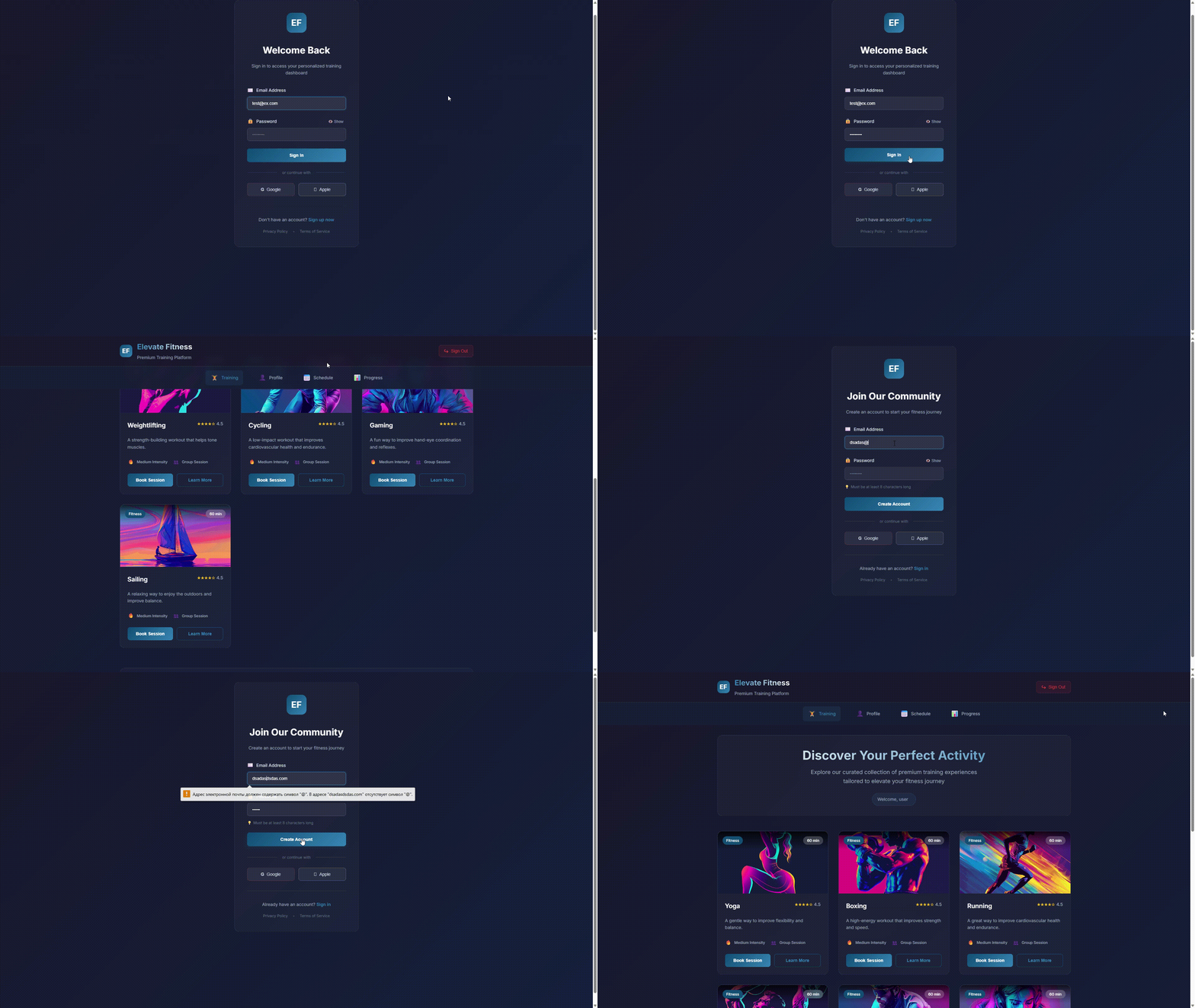
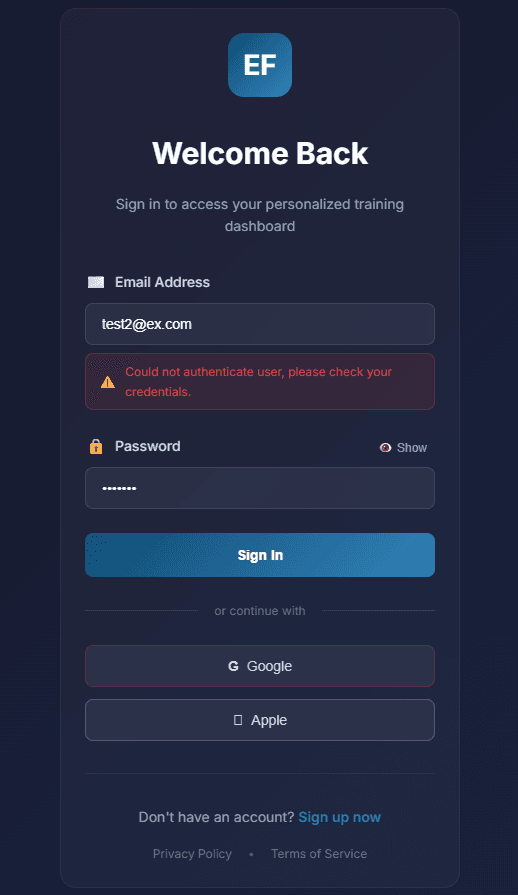
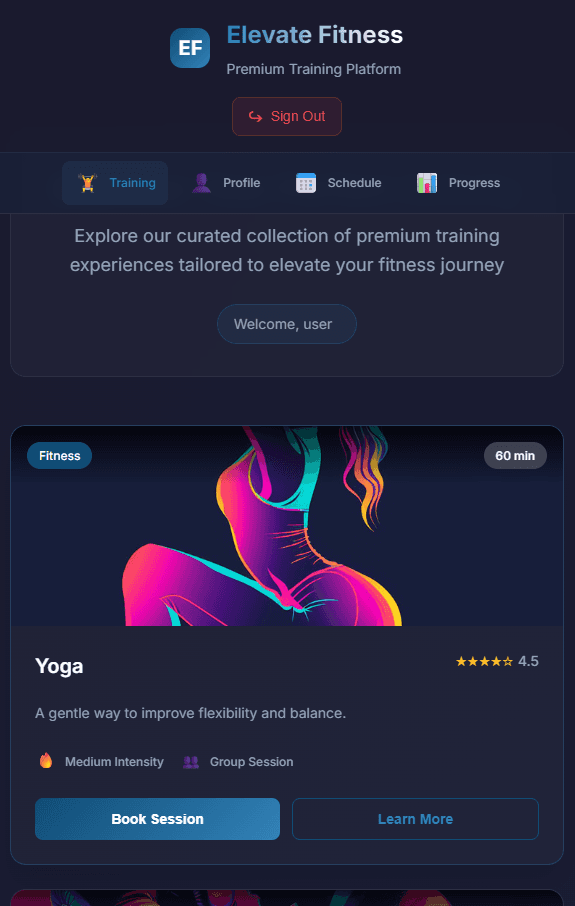
📸 Project Preview
🚀 Quick Links
- 💻 GitHub Repository - Explore the source code
- 📚 Lucia Documentation - Official Lucia Auth docs
📋 Table of Contents
- 🚀 Overview
- ✨ Key Features
- 🛠️ Tech Stack
- 🏗️ Architecture
- 🔐 Authentication System
- 🛡️ Security Implementation
- 📁 Project Structure
- 🎯 API Reference
- 🚀 Deployment
- 📚 Learning Resources
🚀 Overview
Next.js Authentication with Lucia is a production-ready authentication system demonstrating modern security practices. Built with Next.js 14 App Router and Lucia Auth, it provides a complete solution for user authentication, session management, and protected routes in a clean, maintainable codebase.
This project serves as both a practical implementation and an educational resource for developers looking to implement secure authentication in their Next.js applications.
✨ Key Features
🔐 Secure Authentication
- Lucia Auth Integration - Professional-grade authentication library
- Server-Side Sessions - Secure session management
- Password Hashing - Scrypt algorithm with unique salts
- Protected Routes - Route groups with middleware protection
🛡️ Security Features
- HTTP-only Cookies - XSS attack prevention
- CSRF Protection - Built-in security measures
- Timing-Safe Comparisons - Prevent timing attacks
- SQL Injection Prevention - Prepared statements
⚡ Modern Development
- Next.js 14 App Router - Latest routing architecture
- Server Actions - Secure form handling
- TypeScript - Full type safety
- CSS Modules - Scoped styling with variables
📱 User Experience
- Progressive Enhancement - Client-side validation
- Real-time Feedback - Instant form validation
- Responsive Design - Mobile-first approach
- Clean UI - Modern, intuitive interface
🛠️ Tech Stack
Core Framework
- Next.js 14 - React framework with App Router
- TypeScript - Type-safe development experience
- React 18 - Latest React features
Authentication & Security
- Lucia Auth v3 - Lightweight authentication library
- SQLite with better-sqlite3 - Lightweight database
- Node.js Crypto - Native password hashing
- HTTP-only Cookies - Secure session storage
Styling & UI
- CSS Modules - Component-scoped styles
- CSS Custom Properties - Theme variables
- Modern CSS Features - Flexbox, Grid, transitions
Development Tools
- ESLint - Code quality enforcement
- Prettier - Consistent code formatting
- Vercel - Deployment platform
🏗️ Architecture
Application Architecture
textRequest → Middleware → Server Action → Lucia Auth → Database → Response Login → Route Protection → verifyAuth() → Session Create → User Data → Dashboard
Rendering Strategy
- Static Generation - Public pages and documentation
- Server-Side Rendering - Protected content with auth checks
- Client-Side Navigation - Smooth transitions between pages
State Management
- Server State - User sessions managed by Lucia
- Client State - Form states and UI interactions
- URL State - Protected route parameters
🔐 Authentication System
Lucia Configuration
The heart of the authentication system is Lucia Auth, configured for optimal security:
javascriptimport { Lucia } from "lucia"; import { BetterSqlite3Adapter } from "@lucia-auth/adapter-sqlite"; // Database adapter configuration const adapter = new BetterSqlite3Adapter(db, { user: "users", session: "sessions", }); // Lucia instance with security settings const lucia = new Lucia(adapter, { sessionCookie: { expires: false, // Browser session expiration attributes: { secure: process.env.NODE_ENV === "production", // HTTPS only in production sameSite: "lax", // CSRF protection }, }, getUserAttributes: (attributes) => { return { email: attributes.email, createdAt: attributes.created_at, }; }, });
Session Management
Session Creation
- Database-backed sessions - Persisted in SQLite
- Secure cookies - HTTP-only, signed cookies
- Automatic refresh - Session renewal on activity
Session Validation
- Middleware protection - Every request verified
- Graceful expiration - Smooth session handling
- CSRF tokens - Additional protection layer
Password Security
Secure password handling using Node.js crypto:
javascriptexport function hashUserPassword(password) { // Generate unique 16-byte salt per user const salt = crypto.randomBytes(16).toString("hex"); // Scrypt: memory-hard key derivation function const hashedPassword = crypto.scryptSync(password, salt, 64); // Store as "hash:salt" format for verification return hashedPassword.toString("hex") + ":" + salt; } export function verifyPassword(storedPassword, suppliedPassword) { const [hashedPassword, salt] = storedPassword.split(":"); // Recreate hash with same parameters const suppliedPasswordBuf = crypto.scryptSync(suppliedPassword, salt, 64); const hashedPasswordBuf = Buffer.from(hashedPassword, "hex"); // Timing-safe comparison prevents timing attacks return crypto.timingSafeEqual(hashedPasswordBuf, suppliedPasswordBuf); }
Security Benefits
- Scrypt algorithm - Resistant to GPU/ASIC attacks
- Unique salts - Prevent rainbow table attacks
- Timing-safe equality - Prevent side-channel attacks
🛡️ Security Implementation
Defense in Depth Strategy
1. Input Validation
- Client-side validation - Immediate user feedback
- Server-side validation - Final security checkpoint
- Schema validation - Type-safe data handling
2. Session Security
- HTTP-only cookies - Inaccessible to JavaScript
- Secure flag - HTTPS only in production
- SameSite policy - CSRF protection
- Short expiration - Reduced attack window
3. Database Security
- Prepared statements - SQL injection prevention
- Unique constraints - Prevent duplicate users
- Encrypted connections - Data in transit protection
4. Application Security
- Rate limiting - Brute force protection
- Error handling - No sensitive data leakage
- Logging - Security event monitoring
Security Headers
- Content Security Policy (CSP) - XSS prevention
- X-Frame-Options - Clickjacking protection
- X-Content-Type-Options - MIME sniffing prevention
- Referrer-Policy - Privacy protection
📁 Project Structure
textnextjs-lucia-auth/ ├── app/ │ ├── (auth)/ # Protected route group │ │ ├── layout.js # Authenticated layout │ │ └── training/ │ │ └── page.js # Protected training page │ ├── api/ # API routes │ │ └── auth/ │ │ └── route.js # Authentication endpoints │ ├── login/ │ │ └── page.js # Login page │ ├── signup/ │ │ └── page.js # Signup page │ ├── layout.js # Root layout │ ├── page.js # Landing page │ └── globals.css # Global styles ├── components/ │ ├── auth/ │ │ ├── login-form.js # Login form component │ │ ├── signup-form.js # Signup form component │ │ └── protected-route.js # Route protection wrapper │ ├── ui/ │ │ ├── button.js # Reusable button │ │ ├── input.js # Form input │ │ └── card.js # Content card │ └── layout/ │ ├── header.js # Navigation header │ └── footer.js # Page footer ├── lib/ │ ├── auth.js # Lucia auth functions │ ├── db.js # Database configuration │ ├── hash.js # Password utilities │ └── validation.js # Input validation schemas ├── middleware.js # Authentication middleware ├── actions/ │ └── auth-actions.js # Server actions └── public/ └── images/ # Static assets
🎯 Key Components
Authentication Form Component
The auth form handles both login and signup with real-time validation:
javascriptexport function AuthForm({ mode }) { const [errors, setErrors] = useState({}); const [isLoading, setIsLoading] = useState(false); const handleSubmit = async (formData) => { setIsLoading(true); // Client-side validation const validationErrors = validateForm(formData); if (Object.keys(validationErrors).length > 0) { setErrors(validationErrors); setIsLoading(false); return; } try { // Server action for authentication const result = await authenticate(mode, formData); if (result.success) { // Redirect to protected area router.push("/training"); } else { setErrors(result.errors); } } catch (error) { setErrors({ general: "An unexpected error occurred" }); } finally { setIsLoading(false); } }; return ( <form onSubmit={handleSubmit}> <Input name="email" type="email" placeholder="user@example.com" error={errors.email} required /> <Input name="password" type="password" placeholder="••••••••" error={errors.password} required /> <Button type="submit" disabled={isLoading}> {isLoading ? "Processing..." : mode === "login" ? "Sign In" : "Create Account"} </Button> </form> ); }
Protected Route Middleware
Middleware that protects routes and validates sessions:
javascriptexport async function middleware(request) { const sessionId = request.cookies.get(lucia.sessionCookieName)?.value; if (!sessionId) { // No session - redirect to login return NextResponse.redirect(new URL("/login", request.url)); } try { // Validate session with Lucia const { session, user } = await lucia.validateSession(sessionId); if (!session || !user) { // Invalid session - redirect to login return NextResponse.redirect(new URL("/login", request.url)); } // Valid session - proceed const response = NextResponse.next(); // Refresh session if needed if (session.fresh) { const sessionCookie = lucia.createSessionCookie(session.id); response.cookies.set( sessionCookie.name, sessionCookie.value, sessionCookie.attributes, ); } return response; } catch (error) { // Session validation error return NextResponse.redirect(new URL("/login", request.url)); } }
🎯 API Reference
Server Actions
authenticate(mode, formData)
Handles both login and signup operations.
Parameters:
mode:"login"|"signup"formData: Form data with email and password
Returns:
{ success: boolean, errors?: object, user?: object }
logout()
Terminates the current user session.
Returns: Redirect to login page
Database Functions
createUser(email, password)
Creates a new user with hashed password.
Parameters:
email: User email addresspassword: Plain text password
Returns: User object with ID and email
getUserByEmail(email)
Retrieves user by email address.
Parameters: email: Email to search for
Returns: User object or null
Auth Utilities
verifyAuth()
Validates current session and returns user.
Returns: { user: User | null, session: Session | null }
requireAuth()
Validates session and throws if not authenticated.
Throws: Redirect to login if not authenticated
⚡ Performance Optimization
Code Splitting
- Route-based splitting - Each page loads independently
- Component lazy loading - Heavy components load on demand
- Library optimization - Only import necessary modules
Database Optimization
- Indexed queries - Fast user lookups
- Connection pooling - Efficient database connections
- Query optimization - Minimal database calls
Asset Optimization
- Image optimization - Compressed, responsive images
- Font optimization - Subset fonts for faster loading
- CSS minification - Reduced file sizes
Caching Strategy
- Session caching - Reduced database queries
- Static asset caching - CDN delivery
- Browser caching - Faster repeat visits
🚀 Deployment
Vercel Deployment
- Connect GitHub repository to Vercel
- Configure environment variables:
envDATABASE_URL=file:./auth.db NODE_ENV=production
- Enable automatic deployments on push
- Set up custom domain (optional)
Environment Setup
Development Environment
bash# Clone repository git clone https://github.com/Figrac0/Next_User_Authentication-LuciaAdapter.git # Install dependencies npm install # Set up database npm run db:setup # Start development server npm run dev
Production Environment
bash# Build application npm run build # Start production server npm start
Monitoring & Analytics
- Vercel Analytics - Performance monitoring
- Error tracking - Real-time error reporting
- Security scanning - Vulnerability detection
- Performance budgets - Load time targets
📚 Learning Resources
Authentication Fundamentals
- OWASP Authentication Cheatsheet - Security best practices
- Web Authentication API - Modern browser authentication
- Password Storage Cheatsheet - Secure password handling
Next.js Resources
- Next.js Authentication Docs - Official guide
- App Router Documentation - Routing fundamentals
- Server Actions Guide - Form handling
Lucia Auth
- Lucia Documentation - Complete API reference
- Authentication Patterns - Implementation guides
- Migration Guides - Version updates
Security Resources
- OWASP Top 10 - Critical security risks
- Security Headers Guide - HTTP header best practices
- Cryptography Basics - Understanding encryption
🤝 Contributing
Contributions are welcome! This project serves as both a production implementation and a learning resource.
Development Workflow
- Fork the repository and create your feature branch
- Follow the coding standards and existing patterns
- Add tests for new functionality
- Update documentation as needed
- Submit a pull request with clear description
Areas for Contribution
- Additional auth providers (OAuth, social login)
- Two-factor authentication implementation
- Enhanced security features (rate limiting, IP blocking)
- Performance improvements (caching, optimization)
- Accessibility enhancements (screen reader support)
🔐 Ready to implement secure authentication?