Next.js Advanced Routing & Rendering - Professional Implementation Guide
Comprehensive demonstration of Next.js 14+ routing, rendering strategies, and architectural patterns with SQLite backend and advanced features.
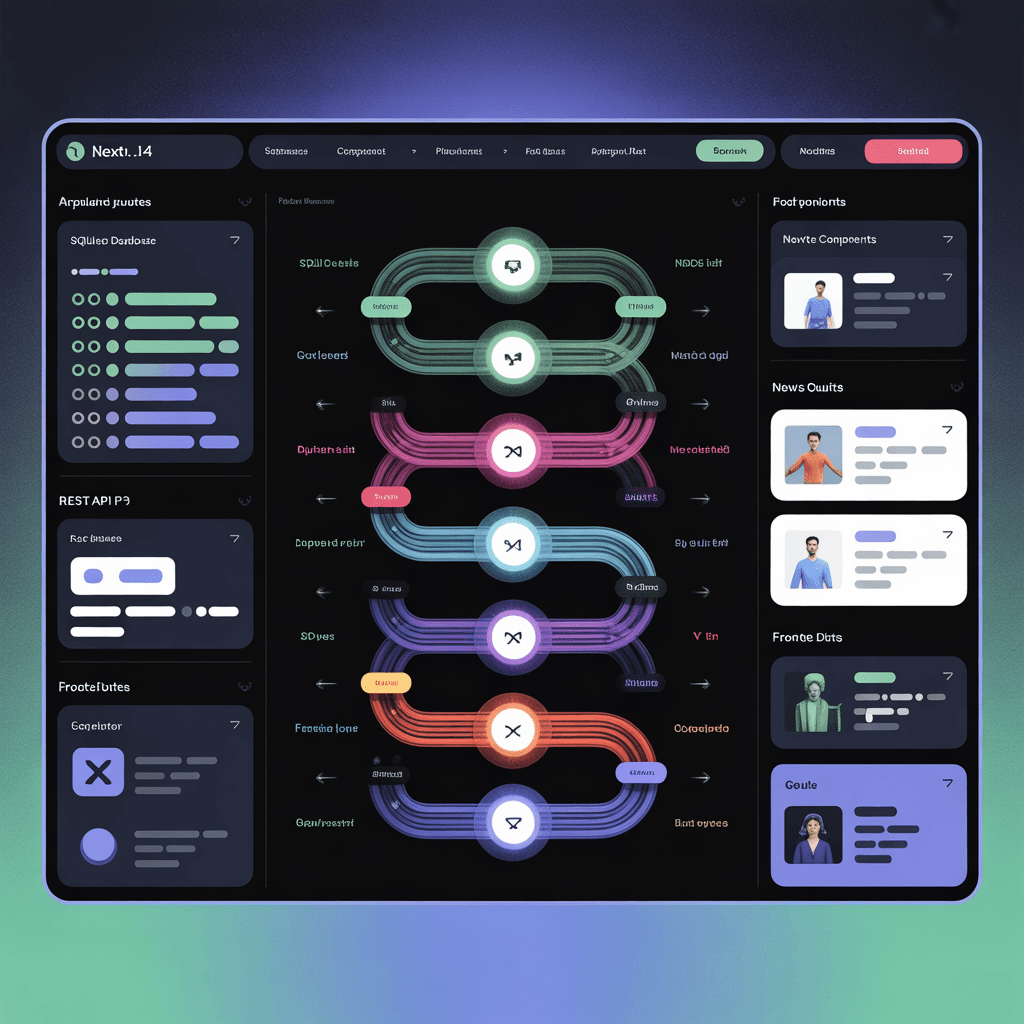
Next.js Advanced Routing & Rendering
🚀 Live Demo: Experience Advanced Routing Patterns
📸 Project Preview




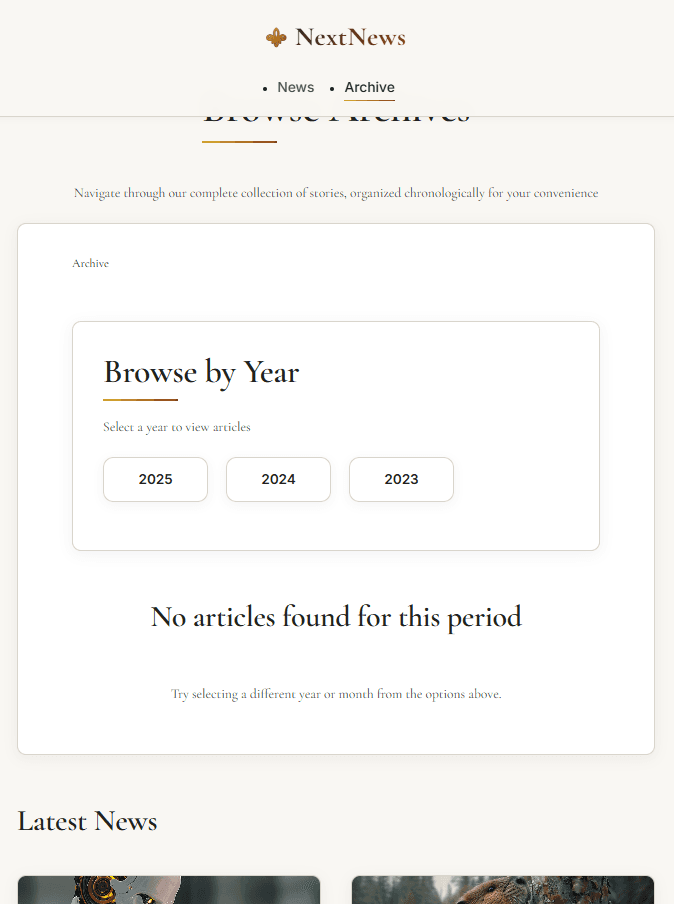
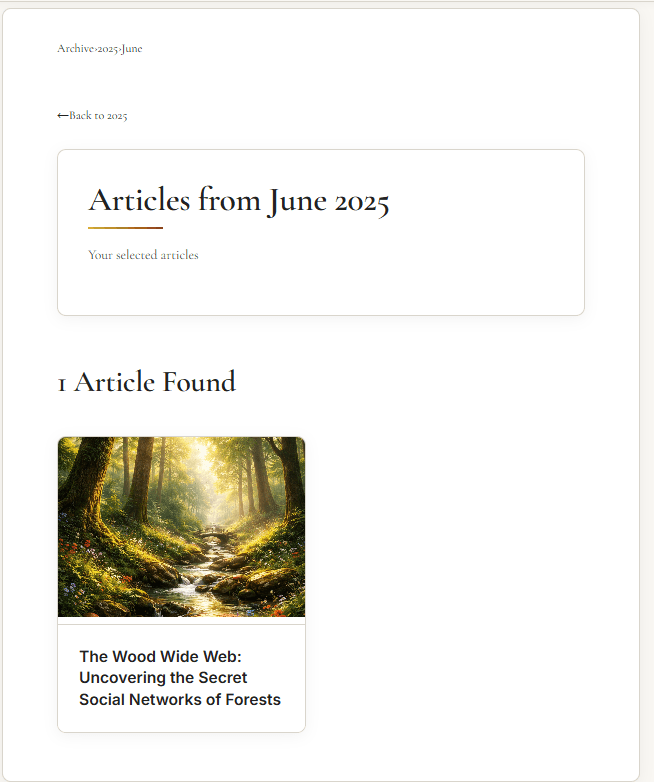
🚀 Quick Links
- 🚀 Live Demo - Experience the application
- 💻 GitHub Repository - Explore the source code
- 📚 Next.js Documentation - Official routing guides
📋 Table of Contents
- 🚀 Technical Overview
- ✨ Core Features
- 🏗️ Architecture Design
- 🎯 Advanced Routing Patterns
- 📊 Data Management
- ⚡ Performance Optimization
- 🎨 UI/UX Implementation
- 🛠️ Development Setup
- 🚀 Deployment Strategy
- 📚 Learning Outcomes
🚀 Technical Overview
Next.js Advanced Routing & Rendering is a comprehensive demonstration of modern Next.js 14+ capabilities, showcasing professional implementation of file-based routing, rendering strategies, and architectural patterns. This full-stack news application serves as a practical case study for building scalable, maintainable applications with advanced features like parallel routes, intercepting routes, dynamic routing, and robust error handling.
The project combines cutting-edge Next.js features with a SQLite backend to demonstrate production-ready patterns for data management, performance optimization, and user experience enhancement.
✨ Core Features
🔧 Advanced Routing Architecture
- Parallel Routes -
@modalfor intercepted image views and@latestfor dedicated content - Intercepting Routes - Modal presentations without navigation interruption
- Dynamic Routing -
[[...filter]]catch-all pattern for archive filtering - Route Groups -
(marketing)and(content)for logical separation - Nested Layouts - Hierarchical layout composition
📊 Data Management
- SQLite Integration - Lightweight database with
better-sqlite3 - Server Components - Async data fetching with modern patterns
- RESTful API - Clean backend architecture with Express.js
- Data Utilities - Comprehensive filtering, sorting, and aggregation
⚡ Performance Features
- Streaming & Suspense - Progressive loading with skeleton states
- Code Splitting - Route-based optimization for faster loads
- Image Optimization - Next.js Image component with automatic optimization
- Caching Strategies - Efficient data revalidation patterns
🎨 User Experience
- Responsive Design - Mobile-first approach with Tailwind CSS
- Accessible Navigation - ARIA-compliant components
- Smooth Transitions - Animated route changes and loading states
- Breadcrumb Navigation - Context-aware path indicators
🛠️ Tech Stack
Core Framework
- Next.js 14.1.0 - Modern App Router architecture
- React 18 - Server Components and concurrent features
- TypeScript - Type-safe development (implied)
Styling & UI
- Tailwind CSS - Utility-first styling framework
- CSS Modules - Component-scoped styles where needed
- Modern Animations - Smooth transitions and loading states
Backend & Data
- SQLite - Lightweight relational database
- better-sqlite3 - High-performance SQLite client
- Express.js - REST API server implementation
- RESTful Architecture - Clean API design patterns
Development Tools
- ESLint - Code quality enforcement
- Next.js Dev Server - Hot reload and development tools
- SQLite Browser - Database management and inspection
🏗️ Architecture Design
Frontend Application Structure
textapp/ ├── (content)/ # Content route group │ ├── news/ # News section │ │ ├── [slug]/ # Dynamic article routes │ │ │ ├── @modal/ # Parallel slot for modal views │ │ │ │ └── image/ │ │ │ │ └── page.js │ │ │ ├── image/ │ │ │ │ └── page.js │ │ │ ├── layout.js # Nested layout with modal support │ │ │ └── page.js # Article detail page │ │ ├── not-found.js # Section-specific 404 │ │ └── page.js # News listing page │ └── archive/ # Archive section │ ├── @latest/ # Parallel slot for latest news │ │ └── page.js │ ├── [[...filter]]/ # Catch-all archive filtering │ │ ├── error.js # Filter-specific error handling │ │ └── page.js │ ├── layout.js # Archive layout │ └── page.js # Archive main page ├── (marketing)/ # Marketing route group │ ├── api/ # API routes │ ├── layout.js │ └── page.js # Home page ├── globals.css # Global styles ├── layout.js # Root layout └── not-found.js # Global 404
Backend Architecture
textbackend/ ├── app.js # Express server with REST API ├── data.db # SQLite database file ├── data/ │ ├── database.js # Database connection and utilities │ ├── news.js # News data operations │ └── init.js # Database initialization ├── routes/ │ └── api.js # API route handlers └── package.json # Backend dependencies
Database Schema
sqlCREATE TABLE news ( id INTEGER PRIMARY KEY AUTOINCREMENT, slug TEXT UNIQUE NOT NULL, title TEXT NOT NULL, content TEXT NOT NULL, date TEXT NOT NULL, image TEXT, category TEXT, excerpt TEXT, author TEXT, read_time INTEGER ); CREATE INDEX idx_news_date ON news(date); CREATE INDEX idx_news_slug ON news(slug);
🎯 Advanced Routing Patterns
Parallel Routes Implementation
Parallel routes allow simultaneous rendering of multiple pages in the same layout:
javascript// app/news/[slug]/layout.js export default function NewsLayout({ children, modal }) { return ( <> {/* Main content */} <div className="content-area">{children}</div> {/* Parallel modal slot */} {modal} {/* Fallback for when modal is not active */} <div className="modal-fallback"> {modal || <div>Modal content will appear here</div>} </div> </> ); }
Intercepting Routes for Modals
Intercepting routes enable modal presentations without leaving the current page:
javascript// app/news/[slug]/@modal/image/page.js export default function ImageModal({ params }) { const { slug } = params; const newsItem = await getNewsItem(slug); return ( <div className="fixed inset-0 bg-black/50 z-50 flex items-center justify-center"> <div className="bg-white rounded-lg p-4 max-w-4xl max-h-[90vh] overflow-auto"> <Image src={newsItem.image} alt={newsItem.title} width={1200} height={800} className="w-full h-auto" /> </div> </div> ); }
Catch-all Routes for Filtering
The [[...filter]] pattern handles complex archive filtering:
javascript// app/archive/[[...filter]]/page.js export default function ArchivePage({ params }) { const { filter } = params; const [year, month] = filter || []; let newsData; if (year && month) { // Filter by year and month newsData = await getNewsForYearAndMonth(year, month); } else if (year) { // Filter by year only newsData = await getNewsForYear(year); } else { // Show all archive newsData = await getAllNews(); } return <ArchiveView news={newsData} year={year} month={month} />; }
Route Groups for Organization
Route groups (content) and (marketing) provide logical separation without affecting URL structure:
javascript// app/(content)/layout.js export default function ContentLayout({ children }) { return ( <div className="content-layout"> <ContentHeader /> <main className="content-main">{children}</main> <ContentFooter /> </div> ); }
📊 Data Management
SQLite Integration
Lightweight database setup with automatic initialization:
javascript// lib/database.js import Database from "better-sqlite3"; import path from "path"; import fs from "fs"; class NewsDatabase { constructor() { const dbPath = path.join(process.cwd(), "data", "news.db"); // Ensure data directory exists const dataDir = path.dirname(dbPath); if (!fs.existsSync(dataDir)) { fs.mkdirSync(dataDir, { recursive: true }); } this.db = new Database(dbPath); this.initDatabase(); } initDatabase() { // Create tables if they don't exist this.db.exec(` CREATE TABLE IF NOT EXISTS news ( id INTEGER PRIMARY KEY AUTOINCREMENT, slug TEXT UNIQUE NOT NULL, title TEXT NOT NULL, content TEXT NOT NULL, date TEXT NOT NULL, image TEXT, category TEXT, excerpt TEXT, author TEXT, read_time INTEGER ) `); // Create indexes for performance this.db.exec("CREATE INDEX IF NOT EXISTS idx_news_date ON news(date)"); this.db.exec("CREATE INDEX IF NOT EXISTS idx_news_slug ON news(slug)"); // Seed with initial data if empty this.seedData(); } // Database operations... }
Data Utility Functions
Comprehensive data operations with filtering and pagination:
javascript// lib/news-data.js export async function getAllNews() { const db = await getDatabase(); return db.prepare("SELECT * FROM news ORDER BY date DESC").all(); } export async function getNewsItem(slug) { const db = await getDatabase(); return db.prepare("SELECT * FROM news WHERE slug = ?").get(slug); } export async function getLatestNews(limit = 5) { const db = await getDatabase(); return db .prepare("SELECT * FROM news ORDER BY date DESC LIMIT ?") .all(limit); } export async function getNewsForYear(year) { const db = await getDatabase(); return db .prepare( 'SELECT * FROM news WHERE strftime("%Y", date) = ? ORDER BY date DESC', ) .all(year.toString()); } export async function getNewsForYearAndMonth(year, month) { const db = await getDatabase(); return db .prepare( 'SELECT * FROM news WHERE strftime("%Y", date) = ? AND strftime("%m", date) = ? ORDER BY date DESC', ) .all(year.toString(), month.toString().padStart(2, "0")); } export async function getAvailableYears() { const db = await getDatabase(); const years = db .prepare( 'SELECT DISTINCT strftime("%Y", date) as year FROM news ORDER BY year DESC', ) .all(); return years.map((row) => row.year); }
Server Component Data Fetching
Modern async patterns in Server Components:
javascript// app/news/page.js export default async function NewsPage() { const news = await getAllNews(); return ( <div className="news-container"> <h1>Latest News</h1> <Suspense fallback={<NewsSkeleton />}> <NewsList news={news} /> </Suspense> </div> ); } function NewsSkeleton() { return ( <div className="space-y-4"> {[...Array(5)].map((_, i) => ( <div key={i} className="p-4 border rounded-lg animate-pulse"> <div className="h-4 bg-gray-200 rounded w-3/4 mb-2"></div> <div className="h-3 bg-gray-200 rounded w-1/2"></div> </div> ))} </div> ); }
⚡ Performance Optimization
Streaming with Suspense
Progressive content loading with skeleton states:
javascript// app/archive/[[...filter]]/page.js export default async function ArchivePage({ params }) { const { filter } = params; return ( <div className="archive-container"> <ArchiveHeader /> <Suspense fallback={<ArchiveSkeleton />}> <ArchiveContent filter={filter} /> </Suspense> <ArchiveSidebar /> </div> ); } async function ArchiveContent({ filter }) { // This component streams independently const news = await getFilteredNews(filter); return ( <div className="archive-content"> {news.map((item) => ( <ArchiveItem key={item.id} item={item} /> ))} </div> ); }
Route-based Code Splitting
Automatic optimization by Next.js:
javascript// Dynamic imports for heavy components import dynamic from "next/dynamic"; const HeavyChartComponent = dynamic( () => import("@/components/HeavyChartComponent"), { loading: () => <div>Loading chart...</div>, ssr: false, // Disable SSR for client-only components }, ); // Lazy loading for modal content const ImageModal = dynamic(() => import("@/components/ImageModal"), { loading: () => <div>Loading image...</div>, });
Image Optimization
Next.js Image component with automatic optimization:
javascriptimport Image from "next/image"; export function NewsImage({ src, alt, priority = false }) { return ( <div className="news-image-container"> <Image src={src} alt={alt} width={800} height={450} sizes="(max-width: 768px) 100vw, (max-width: 1200px) 50vw, 33vw" priority={priority} className="news-image" placeholder="blur" blurDataURL="data:image/png;base64,iVBORw0KGgoAAAANSUhEUgAAAAEAAAABCAYAAAAfFcSJAAAADUlEQVR42mNkYPhfDwAChwGA60e6kgAAAABJRU5ErkJggg==" /> </div> ); }
Caching Strategies
Intelligent data caching and revalidation:
javascript// lib/cache.js const cache = new Map(); export async function getCachedData(key, fetcher, ttl = 60000) { const cached = cache.get(key); if (cached && Date.now() - cached.timestamp < ttl) { return cached.data; } const data = await fetcher(); cache.set(key, { data, timestamp: Date.now(), }); return data; } // Usage in components async function getNewsWithCache(filter) { return getCachedData( `news-${filter || "all"}`, () => getFilteredNews(filter), 300000, // 5 minutes TTL ); }
🎨 UI/UX Implementation
Responsive Design System
Tailwind CSS with mobile-first approach:
javascript// components/NewsCard.js export function NewsCard({ news }) { return ( <article className="group relative overflow-hidden rounded-2xl border border-gray-200 bg-white shadow-sm transition-all duration-300 hover:shadow-lg hover:-translate-y-1"> {/* Image container */} <div className="relative h-48 md:h-56 lg:h-64 overflow-hidden bg-gray-100"> <Image src={news.image} alt={news.title} fill className="object-cover transition-transform duration-500 group-hover:scale-105" sizes="(max-width: 640px) 100vw, (max-width: 1024px) 50vw, 33vw" /> {/* Category badge */} <div className="absolute top-4 left-4"> <span className="inline-flex items-center rounded-full bg-blue-100 px-3 py-1 text-sm font-medium text-blue-800"> {news.category} </span> </div> </div> {/* Content */} <div className="p-6"> <time className="text-sm text-gray-500"> {formatDate(news.date)} </time> <h3 className="mt-2 text-lg font-semibold text-gray-900 line-clamp-2"> {news.title} </h3> <p className="mt-3 text-gray-600 line-clamp-3"> {news.excerpt} </p> {/* Read more link */} <div className="mt-4"> <Link href={`/news/${news.slug}`} className="inline-flex items-center text-blue-600 font-medium hover:text-blue-800"> Read article <ArrowRightIcon className="ml-2 h-4 w-4" /> </Link> </div> </div> </article> ); }
Accessible Navigation
ARIA-compliant components with keyboard support:
javascript// components/ArchiveNavigation.js export function ArchiveNavigation({ years, currentYear, currentMonth }) { return ( <nav aria-label="Archive year navigation"> <ul className="flex flex-wrap gap-2"> {years.map((year) => ( <li key={year}> <Link href={`/archive/${year}`} className={` inline-flex items-center px-4 py-2 rounded-lg text-sm font-medium transition-colors duration-200 ${ currentYear === year ? "bg-blue-600 text-white" : "bg-gray-100 text-gray-700 hover:bg-gray-200" } focus:outline-none focus:ring-2 focus:ring-blue-500 focus:ring-offset-2 `} aria-current={ currentYear === year ? "page" : undefined }> {year} {currentYear === year && ( <span className="ml-2 inline-flex items-center rounded-full bg-blue-100 px-2 py-0.5 text-xs font-medium text-blue-800"> {currentMonth || "All"} </span> )} </Link> </li> ))} </ul> </nav> ); }
Loading States & Skeletons
Comprehensive loading feedback:
javascript// components/NewsGridSkeleton.js export function NewsGridSkeleton({ count = 6 }) { return ( <div className="grid grid-cols-1 md:grid-cols-2 lg:grid-cols-3 gap-6"> {[...Array(count)].map((_, i) => ( <div key={i} className="rounded-2xl border border-gray-200 bg-white overflow-hidden"> {/* Image skeleton */} <div className="h-48 md:h-56 lg:h-64 bg-gray-200 animate-pulse" /> {/* Content skeleton */} <div className="p-6 space-y-4"> <div className="h-4 bg-gray-200 rounded w-1/4 animate-pulse" /> <div className="h-6 bg-gray-200 rounded w-3/4 animate-pulse" /> <div className="space-y-2"> <div className="h-3 bg-gray-200 rounded animate-pulse" /> <div className="h-3 bg-gray-200 rounded w-5/6 animate-pulse" /> <div className="h-3 bg-gray-200 rounded w-4/6 animate-pulse" /> </div> <div className="h-4 bg-gray-200 rounded w-1/3 animate-pulse" /> </div> </div> ))} </div> ); }
🛠️ Development Setup
Local Development Environment
bash# Clone repository git clone https://github.com/Figrac0/Next-News_routing-rendering.git cd Next-News_routing-rendering # Install dependencies npm install # Set up environment variables cp .env.example .env.local # Edit .env.local with your configuration # Initialize database npm run db:init # Start development server npm run dev # Build for production npm run build # Start production server npm start
Environment Configuration
env# .env.local DATABASE_URL=file:./data/news.db NODE_ENV=development NEXT_PUBLIC_API_URL=http://localhost:3000/api
📚 Learning Outcomes
Advanced Next.js Patterns Mastered
- Parallel Routes - Simultaneous rendering of multiple page segments
- Intercepting Routes - Modal navigation without route changes
- Route Groups - Logical organization without URL impact
- Dynamic Routing - Flexible parameter handling
- Error Boundaries - Graceful error handling per segment
Performance Optimization Skills
- Streaming SSR - Progressive content delivery
- Suspense Boundaries - Controlled loading states
- Code Splitting - Optimized bundle delivery
- Image Optimization - Automatic format and size optimization
- Caching Strategies - Efficient data revalidation
Architecture Design Principles
- Separation of Concerns - Clear boundaries between UI, data, and routing
- Component Composition - Reusable, maintainable component patterns
- Error Handling - Comprehensive error recovery strategies
- State Management - URL-based and component state patterns
- Testing Strategies - Component and integration testing approaches
Production-Ready Development
- Database Integration - SQLite with proper connection management
- API Design - RESTful endpoints with proper error handling
- Deployment Configuration - Environment-specific optimizations
- Monitoring Setup - Performance and error tracking
- Documentation Practices - Comprehensive code documentation
🤝 Contributing
This project welcomes contributions as both a learning resource and production implementation.
Development Guidelines
- Follow existing code patterns and architecture
- Add comprehensive tests for new features
- Update documentation alongside code changes
- Use descriptive commit messages
- Create focused pull requests with clear descriptions
Areas for Enhancement
- Additional Routing Patterns - Conditional routes, middleware integration
- Data Layer Improvements - Caching, pagination, search functionality
- Performance Features - Server-side rendering optimizations
- Accessibility Enhancements - Screen reader support, keyboard navigation
- Internationalization - Multi-language support with next-intl
🚀 Ready to explore advanced Next.js routing?