NeuroBoard AI - Seller Workspace with AI Ad Assistant
AI-powered seller workspace for managing classified ads with smart description generation, price guidance, contextual chat, multilingual UX, and a Vercel-friendly demo mode.
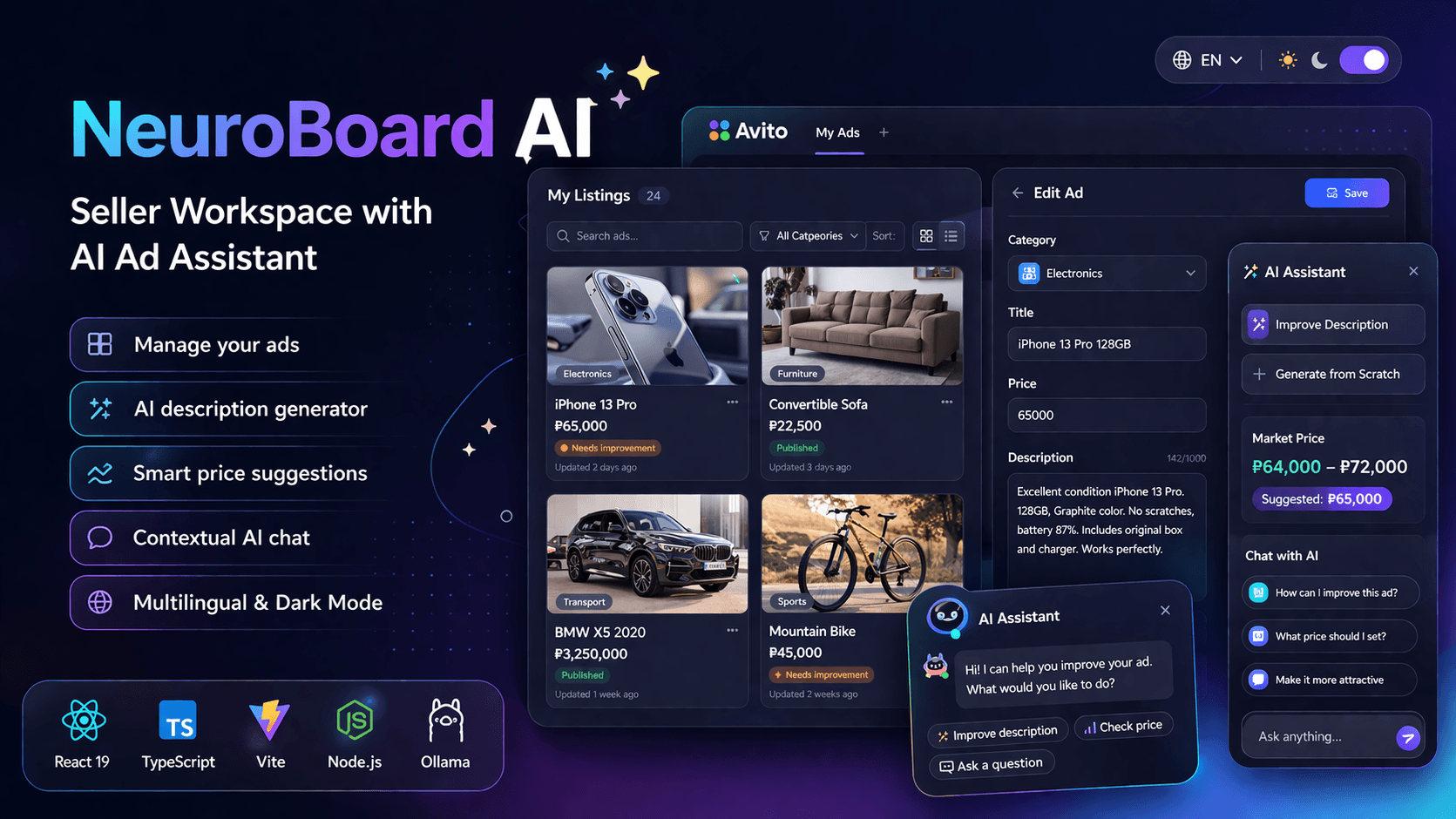
NeuroBoard AI - Seller Workspace with AI Ad Assistant
🚀 Live Demo: Open NeuroBoard AI
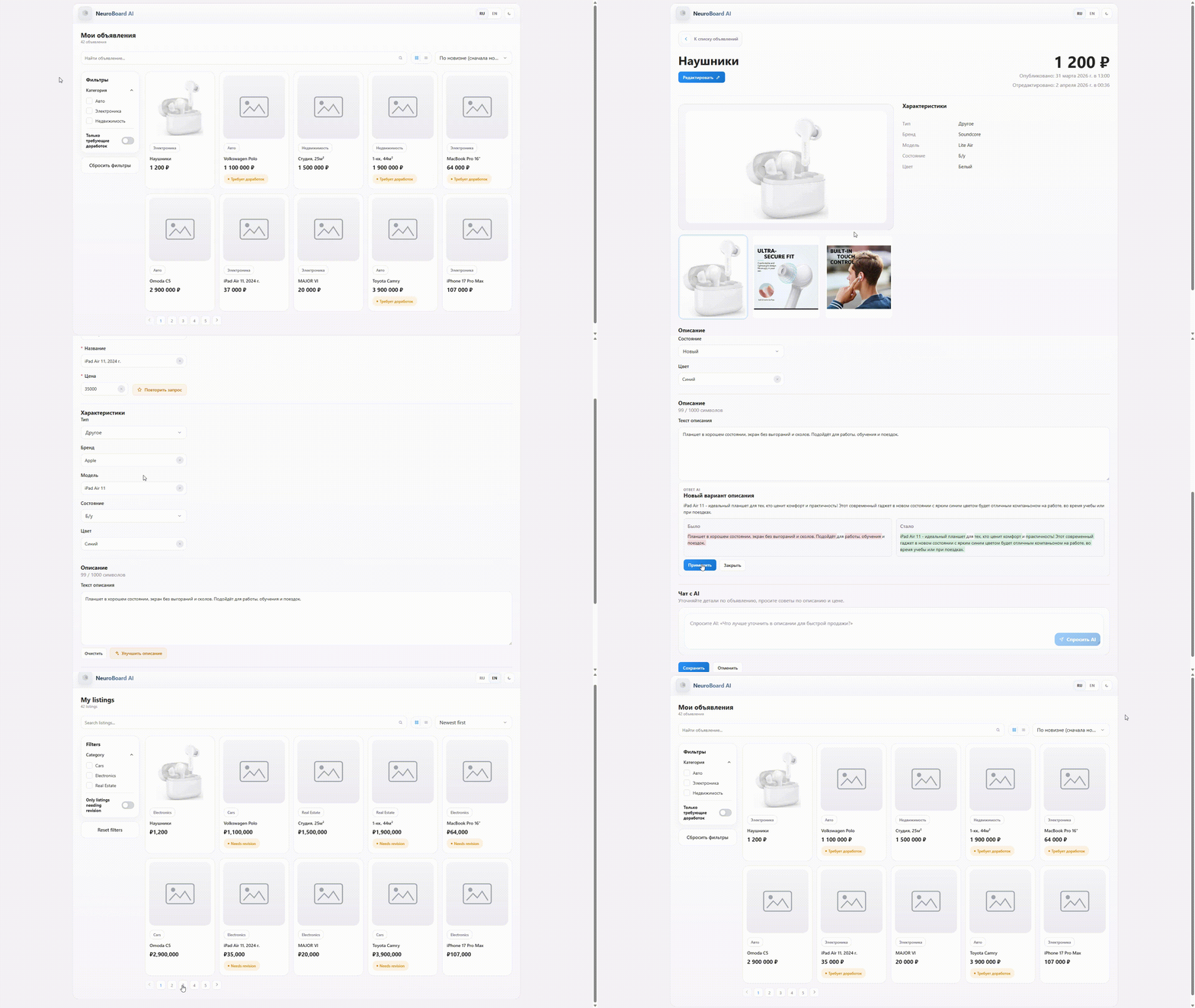
📸 Project Preview
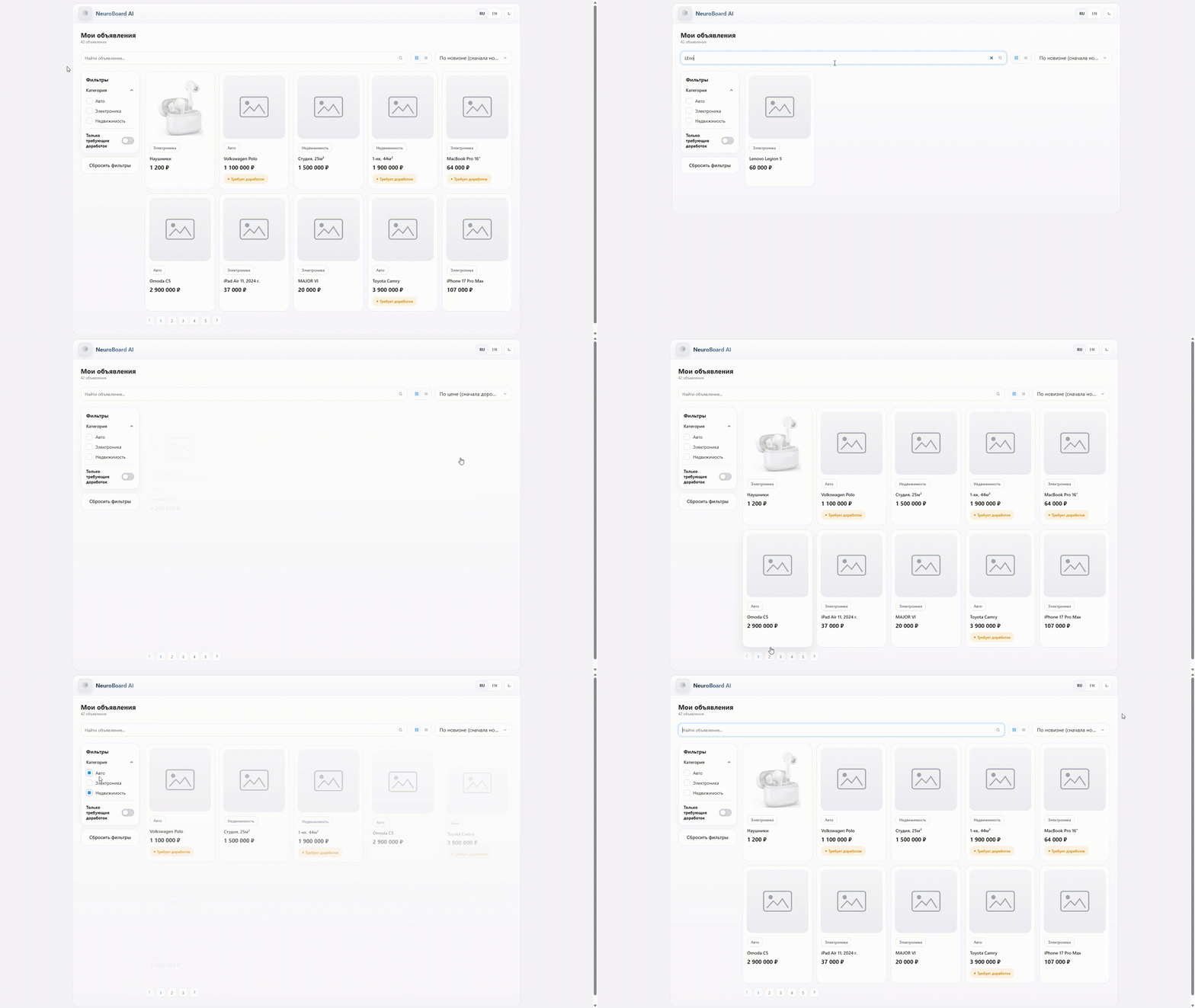
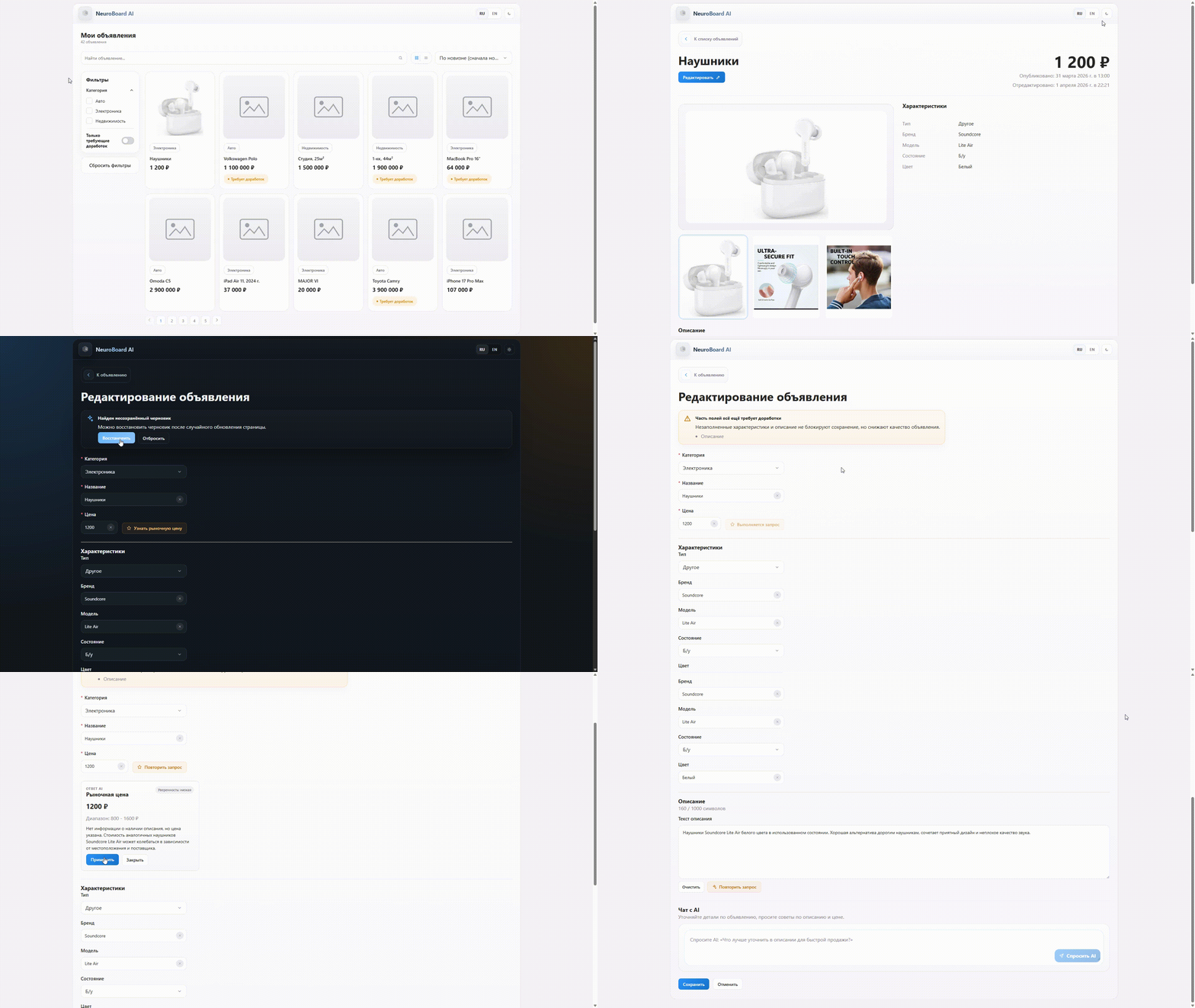
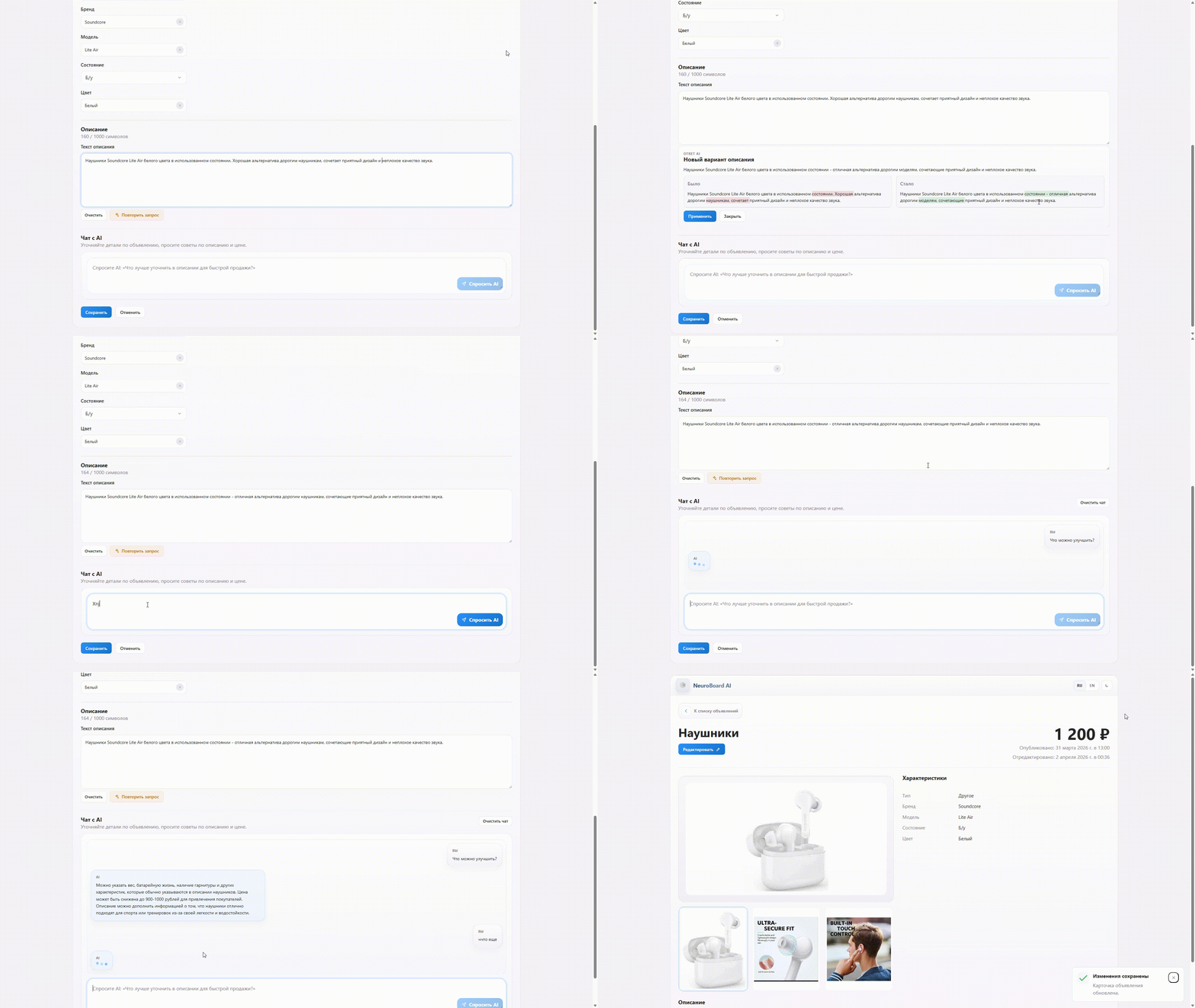
🚀 Quick Links
- 🌐 Live Demo - Explore the deployed frontend demo
- 💻 GitHub Repository - View the source code
📋 Table of Contents
- 🚀 Overview
- ✨ Key Features
- 🧠 AI Capabilities
- 🏗️ Architecture
- 🎨 Frontend Experience
- ⚙️ Backend and Data Layer
- 🔄 Demo Mode and Deployment Strategy
- 🛠️ Tech Stack
- 🎯 Why This Project Stands Out
🚀 Overview
NeuroBoard AI is a seller-focused workspace for managing classified ads with an integrated AI assistant. The application is designed around a practical content-improvement workflow: open the list of ads, inspect a product card, refine the listing, ask AI for better copy or pricing guidance, and save the result back into the system.
Instead of presenting AI as a decorative feature, the project builds it directly into the seller's daily editing flow. The result is a product that combines catalog management, editing UX, contextual recommendations, and a realistic local-first AI integration.
The platform brings several product ideas together in one interface:
- an ads dashboard with search, filters, sorting, and pagination
- a focused product details view
- an editing flow with autosaved drafts
- AI tools for description generation and improvement
- AI price estimation with resilient parsing
- a contextual assistant chat for a specific product card
- a demo-friendly frontend mode that still works when the backend is unavailable
That makes NeuroBoard AI more than an admin mockup. It is a full product prototype that shows how seller tooling, good frontend architecture, and practical LLM integration can work together.
✨ Key Features
📋 Seller Workspace
- Ads list page with search, category filtering, sorting, pagination, and layout switch
- Product details page with structured attributes and status signals
- Edit page with seller-friendly form controls and local draft recovery
- Warnings for incomplete cards that still need more work before publication
✍️ Editing Experience
- Dynamic form structure based on ad category
- Description field with character counter
- Draft persistence in
localStorage - Restore workflow for unsaved changes
- Reusable custom controls instead of default browser inputs
🌙 Product Polish
- Dark theme support
- RU / EN language switch
- Grid and list views for different browsing preferences
- Loading, empty, and error states across pages
- Request cancellation during navigation and unmounting
🖼️ Product Presentation
- Item image preview and placeholder handling
- Multi-image gallery scenario for richer listings
- Details view that highlights important metadata clearly
- Seller guidance focused on improving listing quality rather than just storing raw values
🧠 AI Capabilities
The strongest part of the project is the way AI is embedded into concrete seller actions.
Description Generation
If an ad has little or no text, the assistant can generate a clearer product description from the structured fields already available in the card.
Description Improvement
If text already exists, the assistant can rewrite it into a more polished, readable, and persuasive version while preserving real product facts.
Price Guidance
The AI can estimate a market-oriented price range and provide:
- suggested price
- minimum and maximum range
- confidence level
- short reasoning
A resilient parsing strategy is used because local models do not always return perfectly valid JSON.
Contextual Chat
The seller can ask follow-up questions in the context of a specific listing. That means the assistant is not answering in the abstract. It works from the active product card and its recent conversation history.
Why the AI Layer Matters
This design makes the assistant practically useful because it helps with the exact pain points sellers face:
- weak or empty descriptions
- uncertainty around pricing
- missing product fields
- uncertainty about how to improve a listing before publishing it
🏗️ Architecture
The project is split into two clear layers:
frontend- a React + TypeScript SPAserver- a lightweight Node.js backend that mirrors the expected API contract
At a high level, the flow looks like this:
textReact SPA -> Query/Data Services -> Mock Node.js API -> JSON storage | +-> Local draft storage in localStorage +-> Ollama integration for AI features +-> Demo fallback mode for static deployment
Frontend Responsibilities
The frontend handles:
- routing
- ads list and details rendering
- form editing logic
- local draft persistence
- theme and language switching
- request state management
- AI invocation from product context
Backend Responsibilities
The backend handles:
GET /itemsGET /items/:idPUT /items/:id- serving local images
- keeping seed data in a JSON file
This gives the project a practical execution model: it can run end to end locally, yet the frontend is also ready to be shown independently in a hosted demo mode.
🎨 Frontend Experience
The frontend is built as a seller workflow rather than a collection of disconnected pages.
Page Model
The application includes three core routes:
/ads- seller dashboard with discovery and filtering/ads/:id- detailed product view/ads/:id/edit- editing workspace with AI tools
State and Form Strategy
The client uses a modern lightweight stack:
Zustandfor app-level stateTanStack Queryfor HTTP data coordinationReact Hook Formfor form handlingZodfor schema validation
This keeps the architecture predictable without overcomplicating the project.
UX Decisions
Several UI decisions make the app feel more product-oriented:
- draft recovery prevents accidental loss of work
- incomplete listings are visually flagged
- seller actions stay focused around one product at a time
- custom field components provide tighter design control
- the edit page becomes the natural home for AI-powered assistance
⚙️ Backend and Data Layer
The backend is intentionally small, but it is still meaningful.
API Contract
The project exposes the exact routes needed for the seller workflow:
- list items
- fetch a single item
- update an item
That is enough to keep the frontend grounded in a realistic request-response model instead of relying entirely on fake local state.
Storage Model
For this project, JSON storage is used for reproducibility and simplicity. That choice keeps the solution easy to run locally and easy to inspect during development.
Why a Local Backend Exists
The backend gives the project two important qualities:
- the frontend can be developed and tested against a real API contract
- the full application remains runnable locally without external infrastructure
This is especially valuable for a portfolio project because it makes the workflow easy to review and easy to reproduce.
🔄 Demo Mode and Deployment Strategy
A very strong detail in this project is the split between full local mode and public demo mode.
Local Full Mode
When run locally, the app is intended to work with:
- the frontend
- the mock backend
- Ollama for live AI features
This gives the complete interactive version of the product.
Hosted Demo Mode
For Vercel and other static-friendly deployment scenarios, the project can fall back to a frontend demo mode. In that mode:
- the interface still opens correctly
- sample ads remain browsable
- details and edit pages still work as a UX showcase
- local persistence can simulate changes through browser storage
- the product remains demoable even without a live backend
This is a smart product choice because it separates presentation needs from local development needs without breaking the interface.
Docker and Reproducibility
The project also includes a docker compose workflow for spinning up the client and server together, which improves reproducibility and makes the environment easier to share.
🛠️ Tech Stack
Frontend
- React 19
- TypeScript
- Vite
- React Router
- TanStack Query
- React Hook Form
- Zod
- Zustand
- ESLint
- Prettier
- Vitest
Backend
- Node.js
- lightweight native HTTP server
- JSON-based seed storage
AI and Tooling
- Ollama for local LLM inference
- Docker Compose for local orchestration
- Vercel for hosted frontend demo delivery
🎯 Why This Project Stands Out
NeuroBoard AI stands out because it connects several layers that are often shown separately but rarely shaped into one coherent product workflow:
- seller-facing dashboard UX
- structured form editing
- multilingual and theme-aware interface polish
- lightweight but realistic API integration
- local-first AI assistance through Ollama
- hosted frontend demo strategy without requiring the full backend stack
It is not just an AI button attached to a generic admin panel. It is a product prototype where AI improves a meaningful business workflow: helping a seller create stronger listings faster and with more confidence.