Your Places - MERN Place Discovery Platform with AI Concierge
Full-stack MERN platform for saving and discovering real places with JWT authentication, Cloudinary media uploads, Leaflet maps, and a hybrid Ollama-powered assistant.
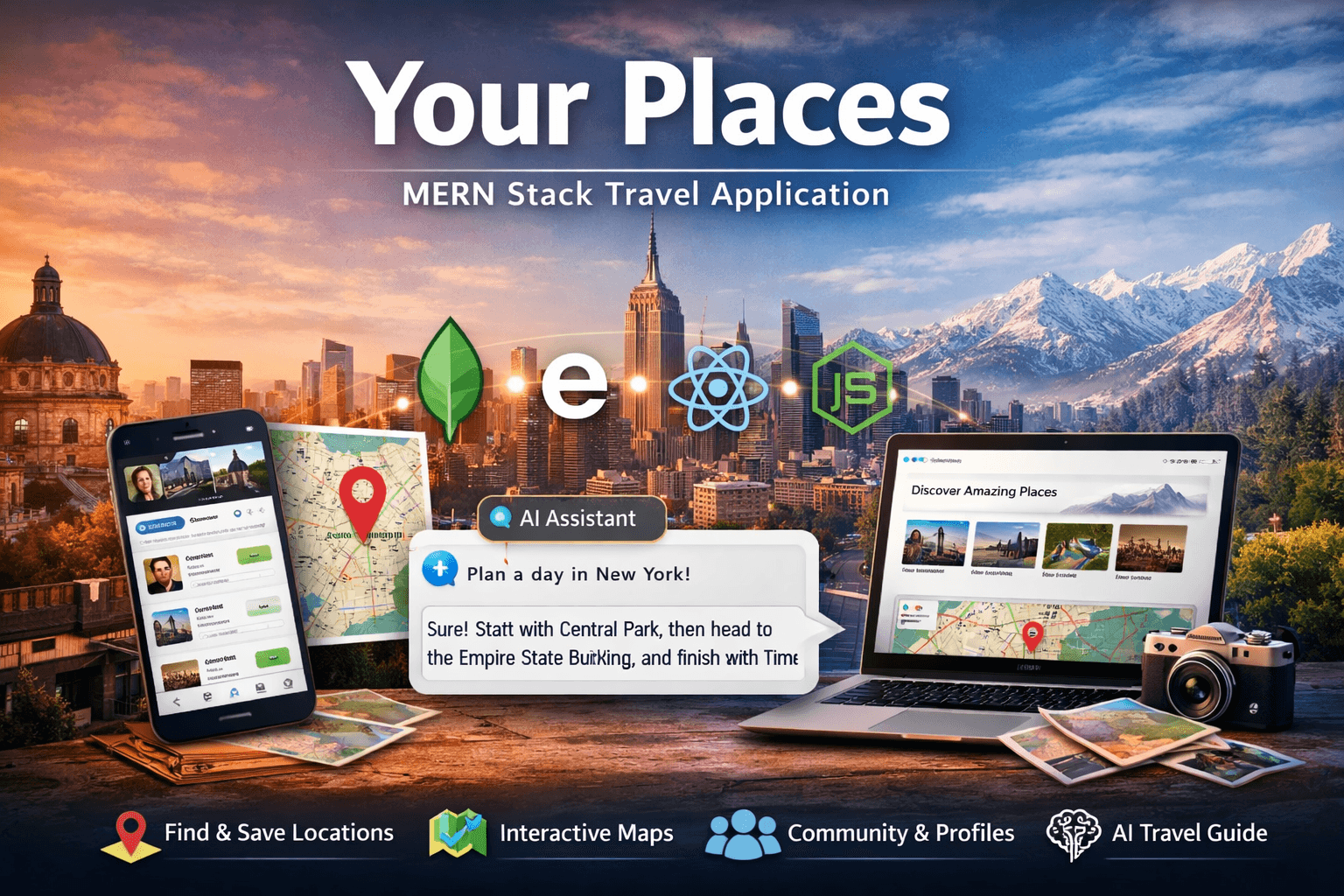
Your Places - MERN Place Discovery Platform with AI Concierge
🚀 Live Demo: Explore Your Places
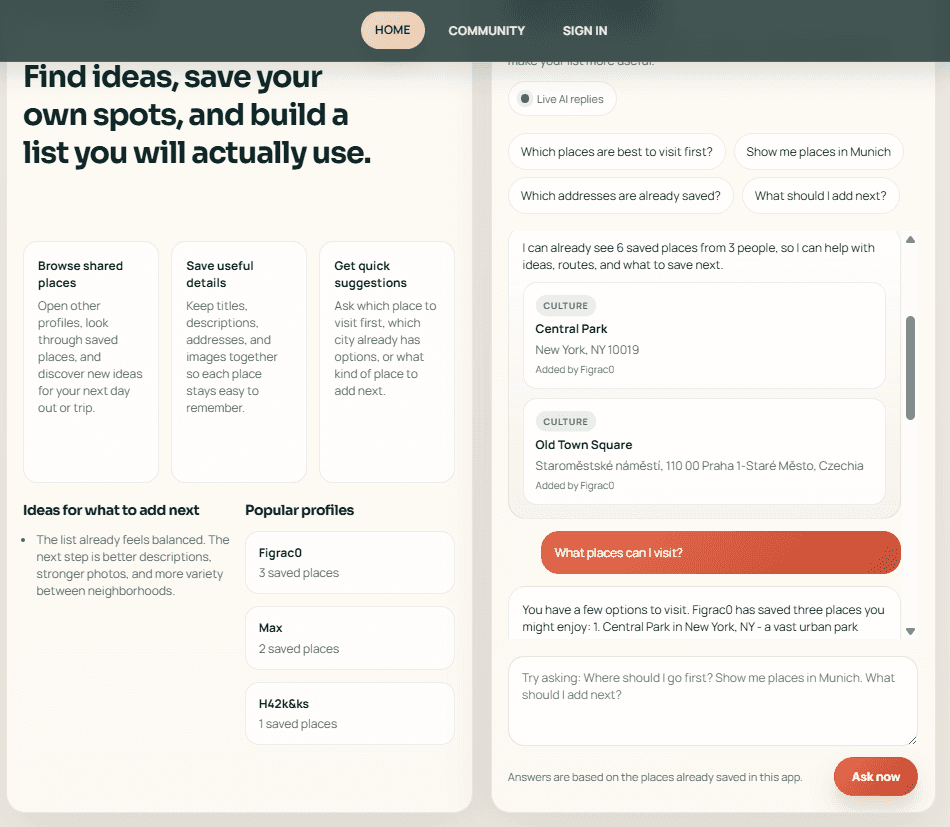
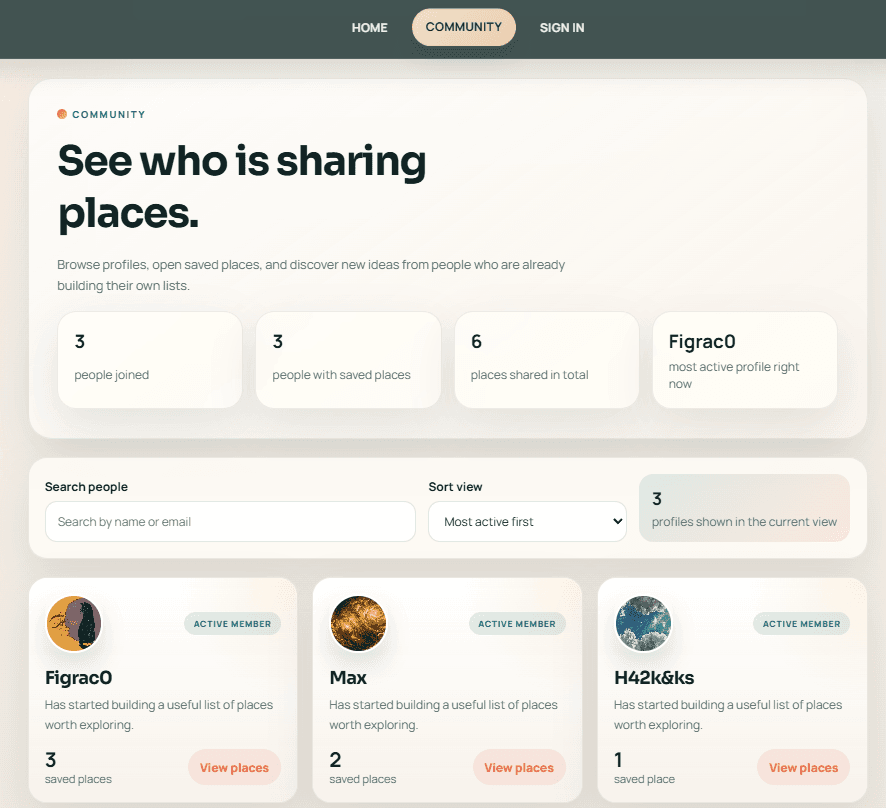
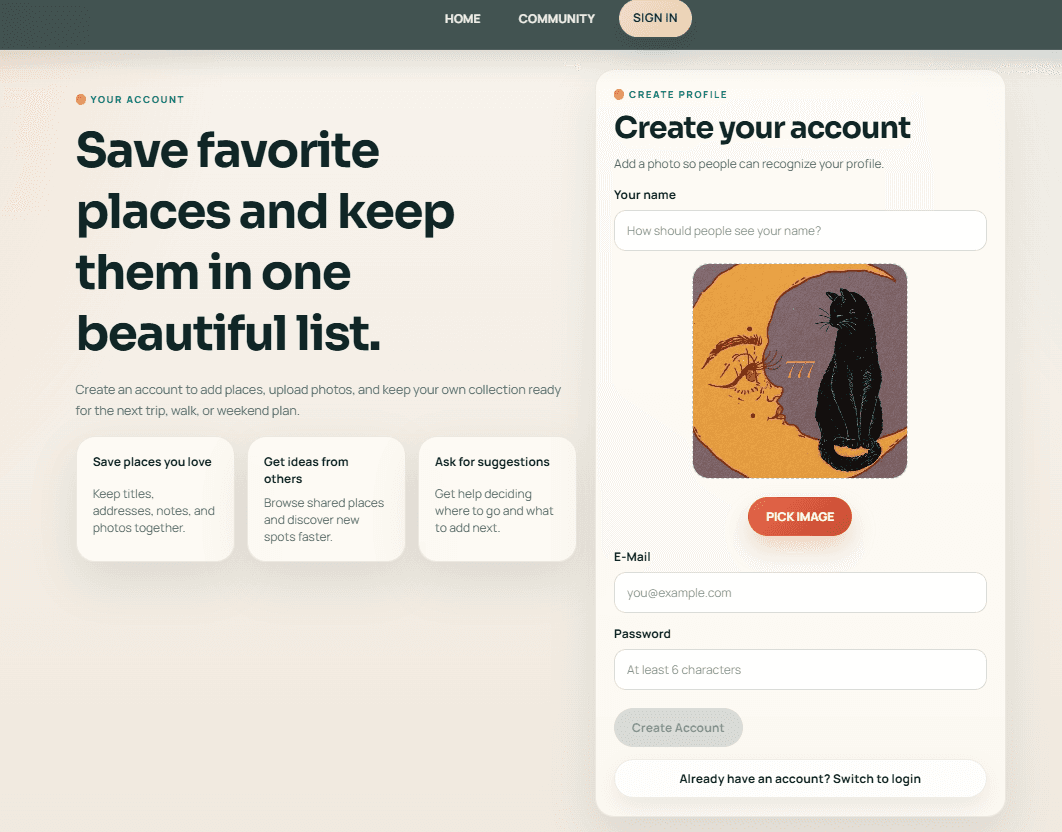
📸 Project Preview
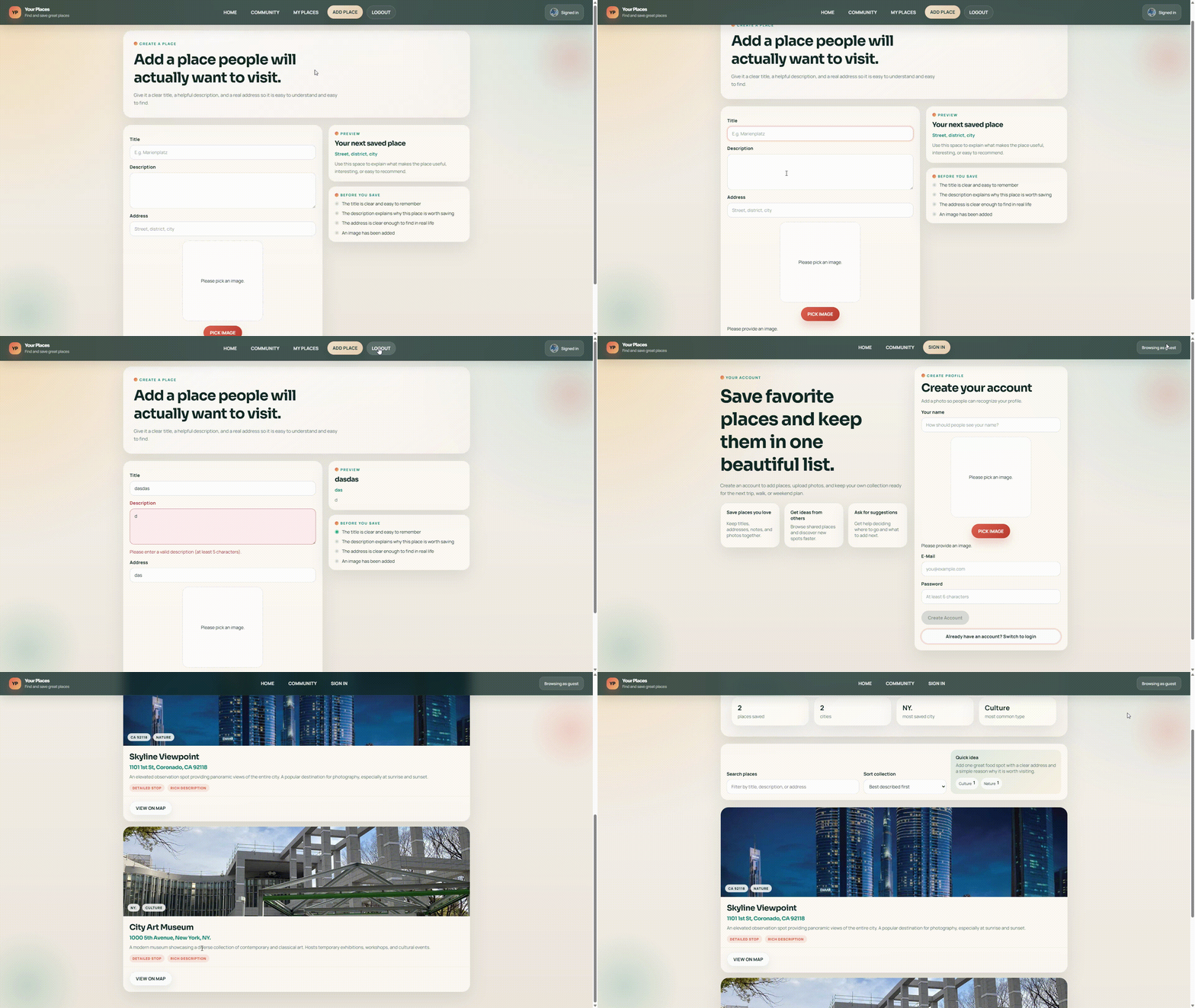
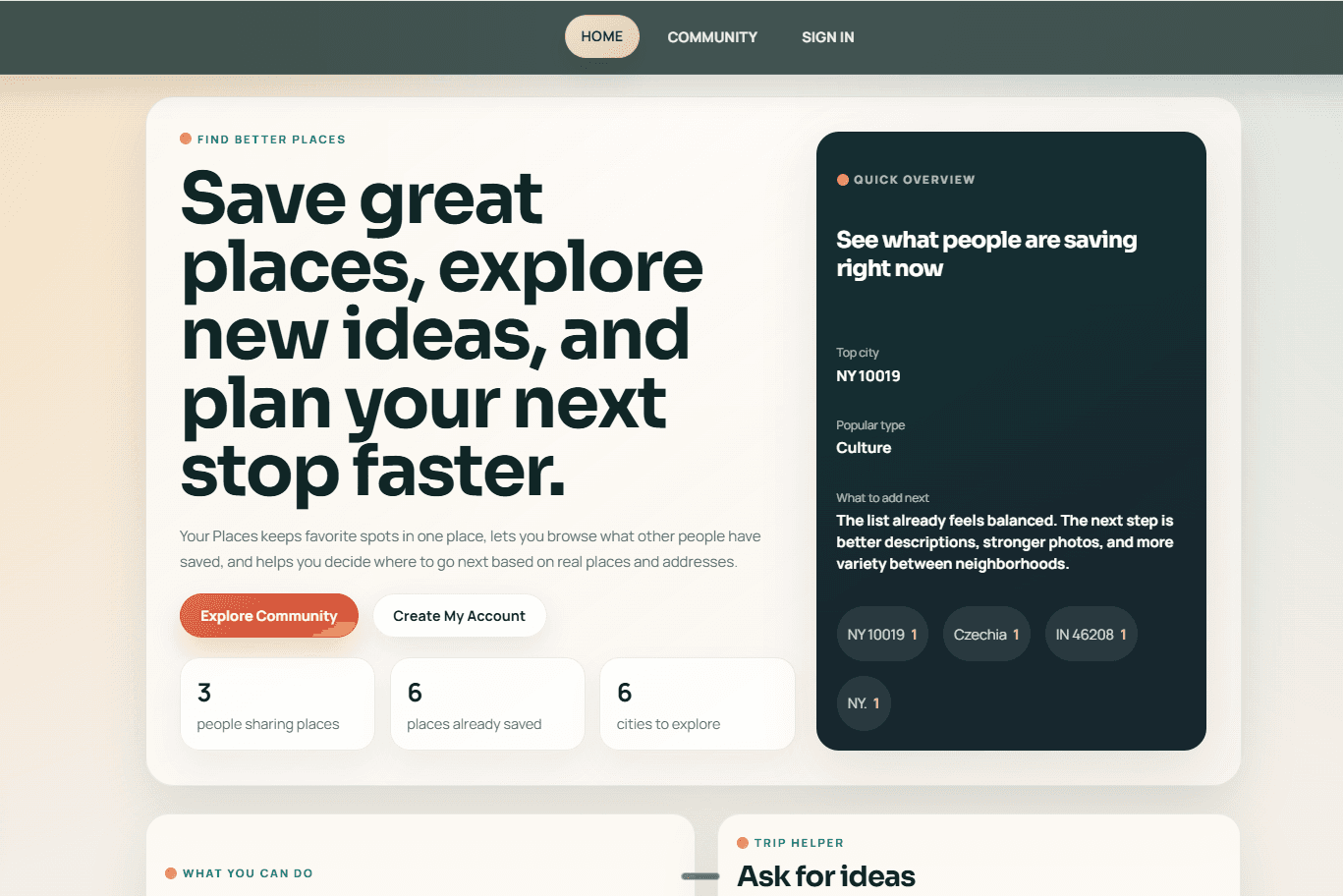
🚀 Quick Links
- 🌐 Live Demo - Try the deployed product
- 💻 GitHub Repository - View the full source code
📋 Table of Contents
- 🚀 Overview
- ✨ Key Features
- 🛠️ Tech Stack
- 🏗️ MERN Architecture
- 🎨 Frontend Experience
- ⚙️ Backend Implementation
- 🔐 Authentication and Authorization
- 🗺️ Places, Maps, and Geocoding
- 🤖 AI Assistant Design
- 🖼️ Media Storage and Deployment
- 🎯 Why This Project Stands Out
🚀 Overview
Your Places is a full-stack MERN application designed as a curated place discovery platform rather than a simple CRUD exercise. Users can create an account, upload a profile photo, save meaningful places with descriptions and addresses, browse collections created by other people, and ask an in-app assistant for ideas based on the places already stored in the system.
The project combines several product layers into one cohesive experience:
- a public landing page with discovery and featured content
- a community directory that turns user data into exploration
- private and public place collections
- image-backed place cards with real addresses
- interactive map viewing
- a hybrid assistant that works with or without a live LLM
This makes the application a strong full-stack portfolio piece because it connects UX, backend architecture, cloud media storage, mapping, deployment, and local AI integration in one product.
✨ Key Features
👤 Account System
- User signup and login with hashed passwords
- Profile photo upload during registration
- JWT-based authentication with persistent client sessions
- Ownership-aware interface with edit and delete actions only for the creator
📍 Place Management
- Create places with title, description, address, and image
- Edit saved places while preserving their core identity
- Delete places with media cleanup
- Search and sort collections directly from the interface
🌍 Discovery Experience
- Modern landing page with quick metrics and featured places
- Community page for browsing active profiles
- City and category insights generated from saved place data
- Collection pages that work for both the owner and public visitors
🗺️ Map and Location Features
- Address geocoding on the backend
- Coordinates stored with each place
- Leaflet-powered map modal on the frontend
- OpenStreetMap tiles for lightweight map rendering
🤖 Assistant Layer
- Local live assistant mode via Ollama
- Built-in fallback mode when live AI is unavailable
- Replies grounded in real places, real addresses, and current user collections
- Production-safe behavior where the app stays useful even without a local LLM
🛠️ Tech Stack
Frontend
- React 16
- React Router DOM 5
- React Transition Group
- Custom hooks for form state and HTTP requests
- Leaflet for map rendering
- Plain CSS with reusable UI components
Backend
- Node.js 22
- Express 4
- Mongoose
- MongoDB Atlas
- express-validator
- bcryptjs
- jsonwebtoken
- multer
Integrations
- Cloudinary for persistent media storage
- OpenStreetMap Nominatim for geocoding
- Ollama for local LLM inference
- Vercel for separate frontend and backend deployment
🏗️ MERN Architecture
The application is split into two independently deployable parts:
mernFront- the React clientmernBack- the Express and MongoDB API
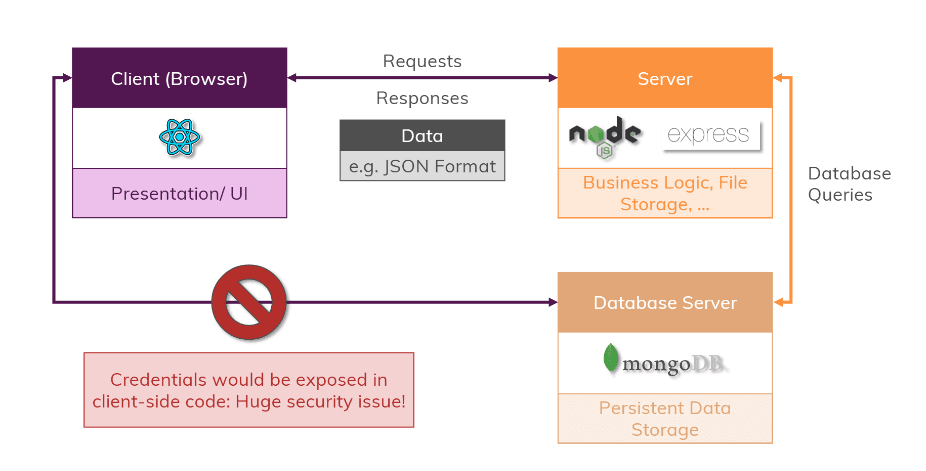
At a high level, the system works like this:
textReact Frontend -> Express API -> Mongoose -> MongoDB Atlas | | | +-> Users and places collections | +-> Cloudinary for profile and place images +-> Nominatim for address geocoding +-> Ollama for local AI replies
This separation is important because it keeps responsibilities clear:
- the frontend focuses on navigation, UI state, forms, and rendering
- the backend handles validation, authentication, authorization, storage, and external integrations
- media storage is decoupled from the web app itself
- live AI is optional instead of being a hard runtime dependency
Structural Overview
textMERN/ ├── mernFront/ │ ├── src/home │ ├── src/user │ ├── src/places │ └── src/shared └── mernBack/ ├── controllers ├── routes ├── models ├── middleware ├── scripts └── util
🎨 Frontend Experience
The frontend is built around a user-facing product flow rather than disconnected screens.
Routing and Page Model
The client includes:
- a public home page
- a community directory
- user collection pages
- a create-place page
- an edit-place page
- an authentication page
This routing structure turns the application into something that feels like a small platform instead of a form-based demo.
Client-Side State
The frontend uses:
- React state for rendering flow
- Context for authentication
localStoragefor session persistence- custom form hooks for validation
- a dedicated HTTP hook for loading and error management
That approach keeps the codebase lightweight while still giving the app predictable behavior.
UI Responsibilities
The frontend is responsible for:
- route protection in the interface
- persistent login restore after refresh
- image previews before upload
- collection filtering and sorting
- displaying owner-only actions
- rendering map modals from stored coordinates
- switching the assistant between live and fallback behavior
⚙️ Backend Implementation
The backend follows a clear Express structure with routes, controllers, models, middleware, and utilities.
Core Responsibilities
The server handles:
- request validation
- JWT verification
- owner-based authorization
- MongoDB persistence
- geocoding
- media upload and deletion
- assistant proxying to Ollama
Data Model
Two core collections power the project:
UserPlace
A user owns many places, and each place stores:
- title
- description
- image
- image public ID
- address
- coordinates
- creator reference
This makes it possible to populate user collections, render media-rich cards, and safely enforce ownership rules.
API Layer
The backend exposes routes for:
- users
- places
- assistant status and assistant chat
The API is also shaped to work well on Vercel, where the backend is deployed as its own project and connects to MongoDB Atlas and Cloudinary through environment variables.
🔐 Authentication and Authorization
Authentication uses a classic JWT-based flow.
Signup Flow
- The client sends
FormDatawith name, email, password, and profile image - The backend validates the input
- The password is hashed with
bcryptjs - The image is uploaded and stored
- The user is saved in MongoDB
- A JWT token is returned to the frontend
Login Flow
- The client sends email and password as JSON
- The backend loads the matching user
- The password hash is compared
- A fresh JWT is generated
- The frontend stores token, user ID, expiration, and profile image
Authorization Rules
Protected routes use Bearer tokens, and the backend verifies that:
- a user can only create a place for themselves
- a user can only edit their own place
- a user can only delete their own place
This is one of the most important details in the project because it turns the app from a UI demo into a proper multi-user system.
🗺️ Places, Maps, and Geocoding
Places are the center of the product, so the application treats them as richer objects than simple text entries.
Place Creation Pipeline
When a user creates a place:
- The frontend collects text fields and an image
- The request is sent as
multipart/form-data - The backend validates the payload
- The address is geocoded through Nominatim
- Coordinates are saved together with the rest of the place data
- The image is stored and linked to the document
- The place becomes part of the owner's collection
Map Integration
Each place can be opened in a modal map view. The frontend uses Leaflet and OpenStreetMap tiles to display the location from the saved latitude and longitude values.
Collection Intelligence
The frontend also builds extra user-facing value from place data:
- city extraction from addresses
- lightweight place categorization
- featured place ranking
- suggestions for what kind of place should be added next
That gives the app a more editorial feel instead of leaving the data completely raw.
🤖 AI Assistant Design
One of the strongest parts of the project is the assistant strategy.
Live Mode
In local development, the assistant can use a real LLM through Ollama. The frontend checks assistant availability and sends:
- the user question
- a compact list of users
- a compact list of saved places
The backend then builds a clean prompt and requests a response from the local model.
Fallback Mode
When Ollama is not running or the project is deployed to Vercel, the assistant does not break. Instead, the frontend falls back to a built-in recommendation layer that can still answer practical questions such as:
- which places are the strongest picks
- what addresses are already saved
- which city has the most coverage
- what kind of place should be added next
This hybrid design makes the feature realistic for local experimentation and still reliable in production.
🖼️ Media Storage and Deployment
The media layer is designed for both local work and cloud deployment.
Image Storage
The backend supports two storage modes:
- Cloudinary mode for production-ready persistent storage
- Local fallback mode for simpler development scenarios
In Cloudinary mode:
- uploads use memory storage via
multer - the backend signs Cloudinary requests
- the database stores the image URL and
public_id
In local fallback mode:
- files can still be stored under the backend uploads directory
- the project remains easy to run during local development
Deployment Model
The recommended production setup is:
mernBackas one Vercel projectmernFrontas a second Vercel project- MongoDB Atlas as the database
- Cloudinary as the image storage provider
This arrangement keeps the application working almost exactly like the local version, with one intentional exception:
- Ollama stays local
- the assistant falls back to its built-in place-aware mode in production
Migration Path
The project also includes a migration script for moving older locally stored images into Cloudinary, which is important when preparing the app for real deployment.
🎯 Why This Project Stands Out
This project is interesting because it combines multiple serious concerns into one coherent application:
- React UI architecture
- Express API design
- MongoDB document modeling
- JWT authentication
- Cloudinary media handling
- geocoding and mapping
- Vercel deployment planning
- optional AI integration with graceful fallback
The result is not just a CRUD tutorial. It is a full-stack product that demonstrates how frontend design, backend architecture, media storage, and AI-assisted interaction can work together in a way that feels practical, polished, and deployment-ready.