Express Shop – Node.js E-Commerce (MVC, MongoDB, Stripe, PDF Invoices)
Production-like server-rendered e-commerce app on Express with MVC, MongoDB sessions, CSRF protection, Stripe Checkout payments, and on-demand PDF invoices.
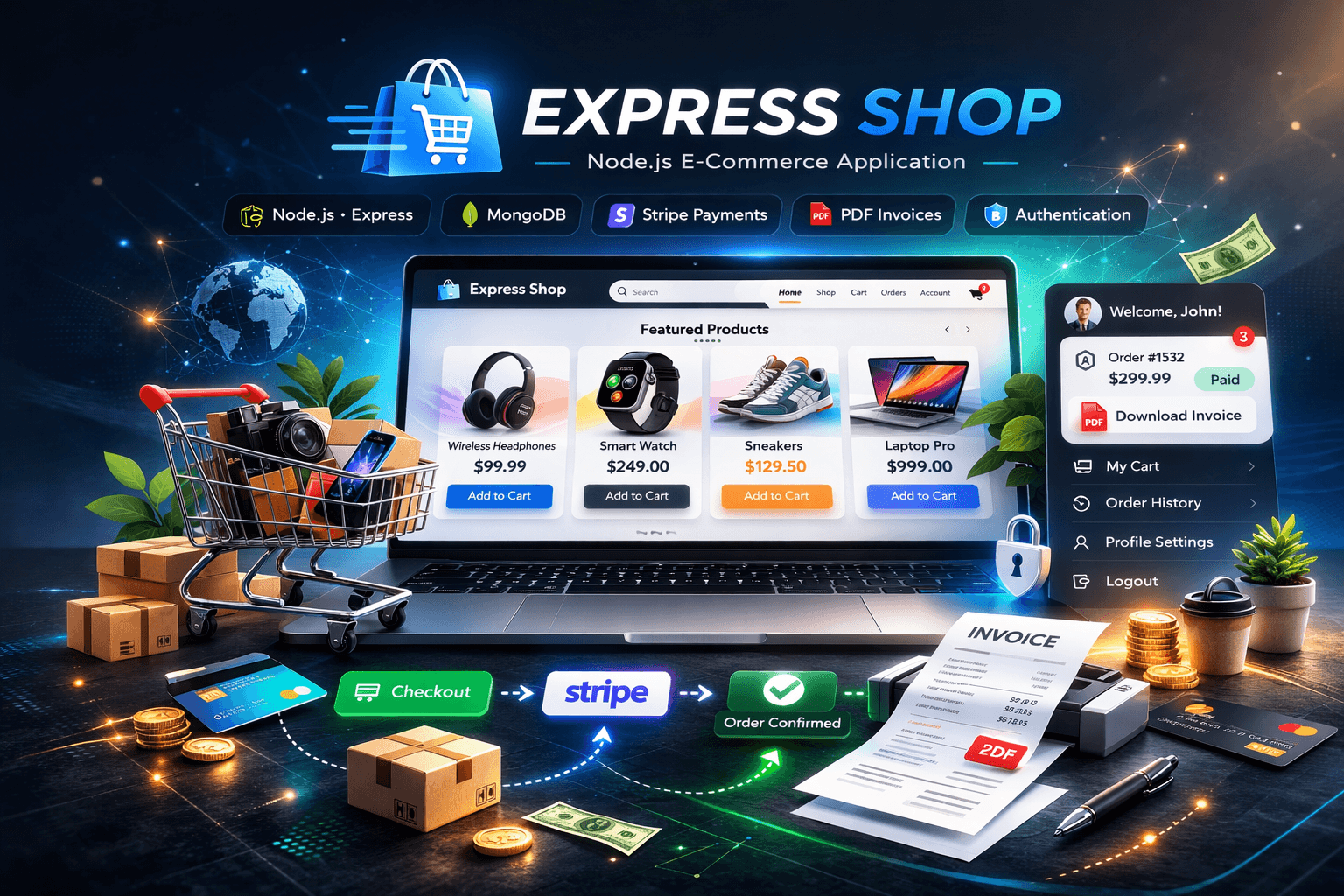
Express Shop – Node.js E-Commerce (MVC, MongoDB, Stripe, PDF Invoices)
Live demo: https://express-shop-gray.vercel.app/
GitHub repository: https://github.com/Figrac0/Express_Shop
Project Preview
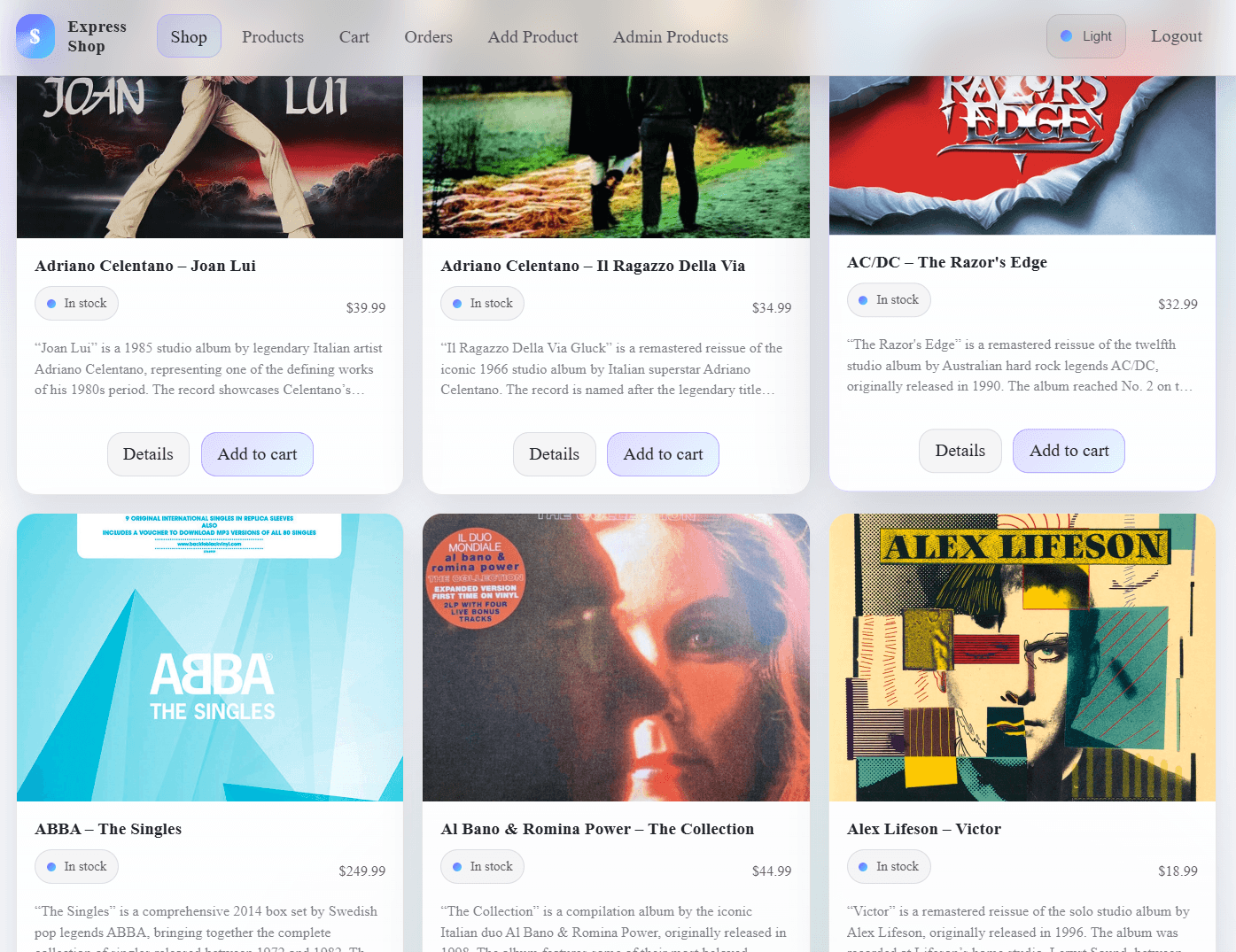
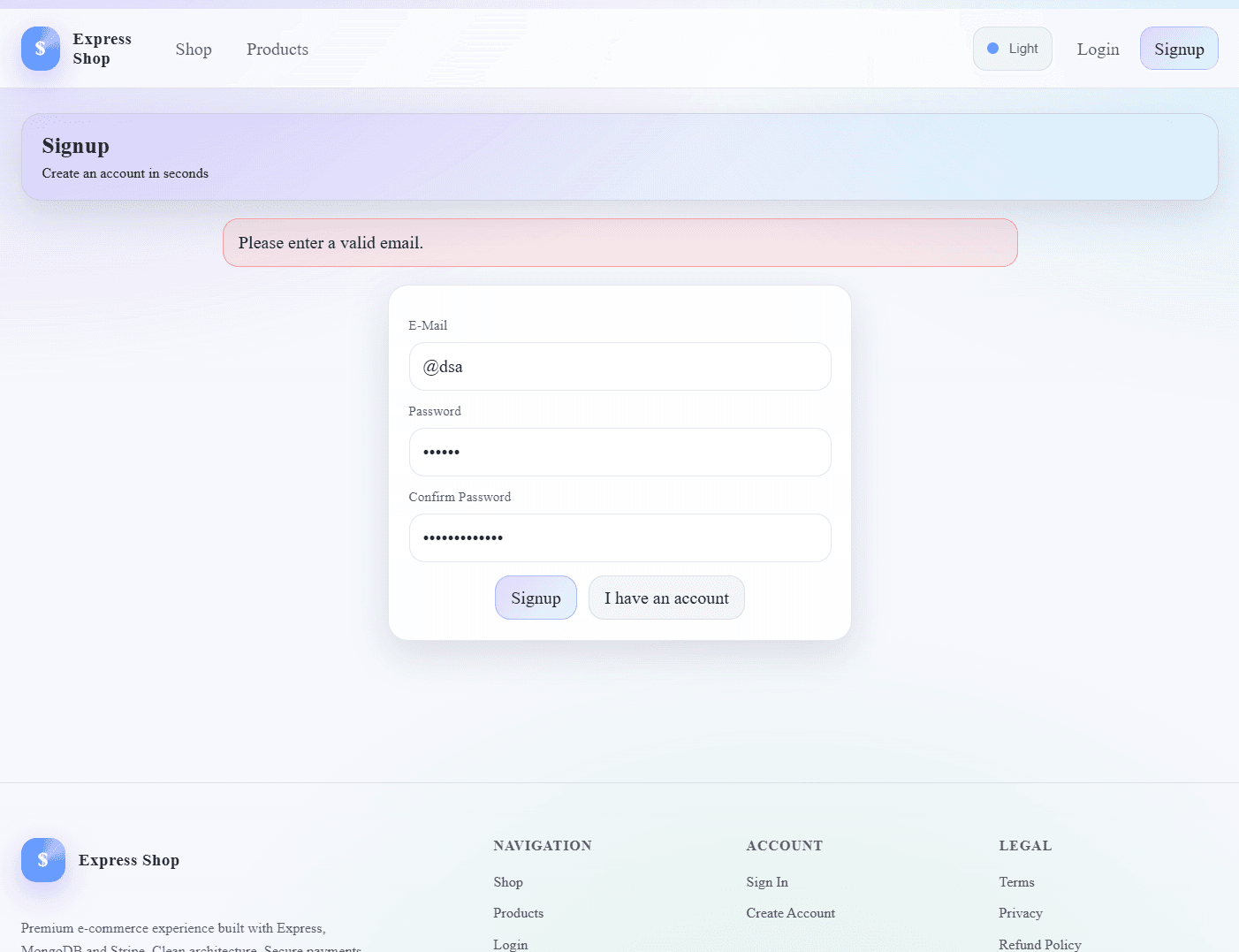
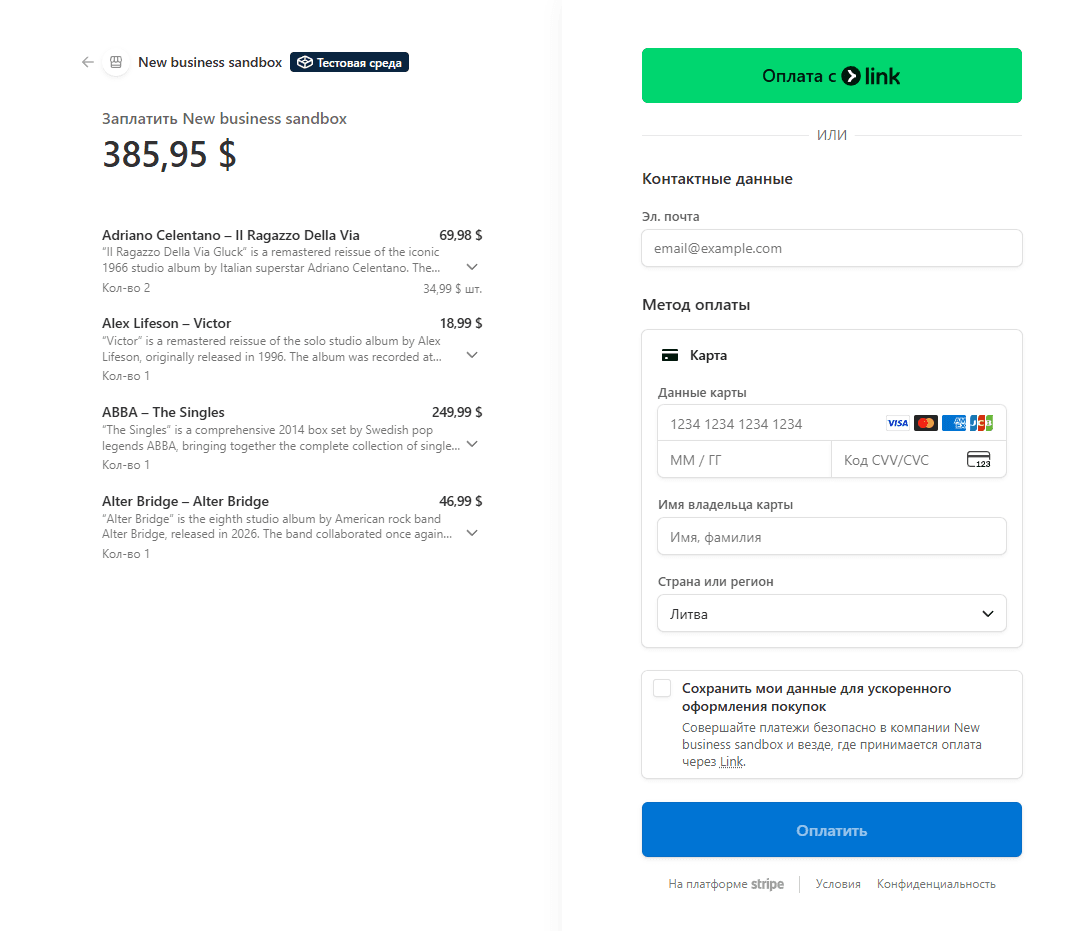
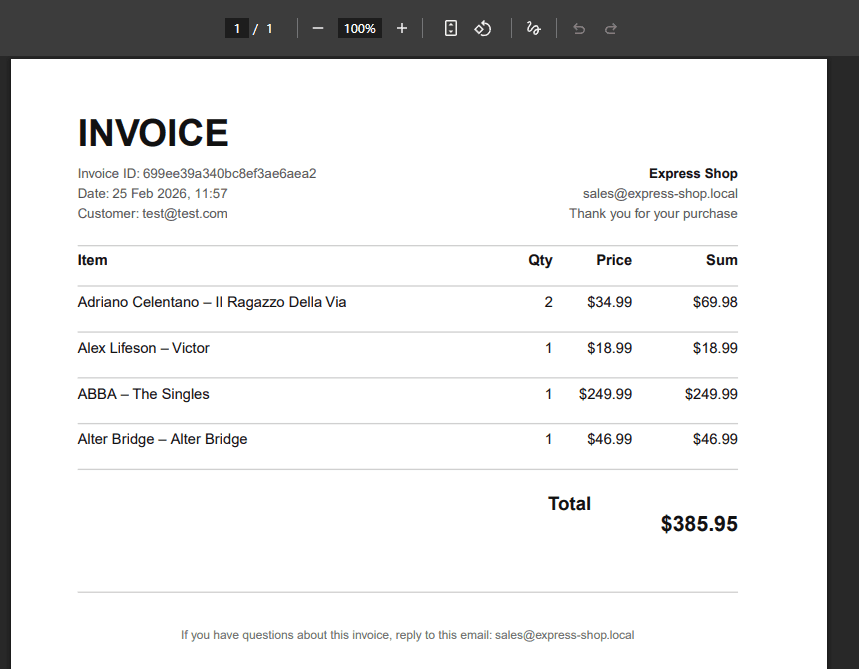
Overview
Express Shop is a production-like e-commerce application built with Node.js and Express using a classic MVC architecture and server-side rendering (EJS).
The project focuses on real backend concerns that matter in typical commerce flows:
- secure authentication and sessions
- persistent cart and order history
- payments via Stripe Checkout
- invoice PDFs generated on demand and streamed to the browser
- CSRF protection for forms and destructive requests
Key Features
- Product management (create, update, delete) with image upload
- Authentication: signup, login, logout, password reset via email
- Session-based authorization with server-side sessions stored in MongoDB
- User cart stored per account (add, remove, clear)
- Stripe Checkout payments
- Orders persistence with immutable product snapshots
- PDF invoice generation on demand (streamed to browser and stored on disk)
- CSRF protection for forms and secure DELETE requests via fetch()
- Server-side rendering with EJS templates
Tech Stack
Backend and SSR:
- Node.js
- Express
- EJS
Database:
- MongoDB
- Mongoose (ODM)
Security and auth:
- express-session + connect-mongodb-session (session store in MongoDB)
- csurf (CSRF protection)
- bcryptjs (password hashing)
- express-validator (validation + sanitization)
- connect-flash (auth feedback messages)
Payments and documents:
- Stripe Checkout (hosted payment pages)
- pdfkit (invoice generation)
Uploads and email:
- multer (image uploads to local storage)
- nodemailer + SendGrid transport (transactional email for signup and password reset)
Architecture
The application follows MVC:
- Routes – define endpoints and middleware chain
- Controllers – implement request handling, business logic, and view rendering
- Models – MongoDB schemas and domain methods (cart logic on User)
- Views – EJS templates rendered on the server
Typical request flow:
js// route -> middleware -> controller -> model -> view router.post("/add-product", isAuth, validators, adminController.postAddProduct);
Environment Configuration
Configuration is loaded via dotenv:
jsrequire("dotenv").config(); // Loads process.env.MONGO_USER, process.env.STRIPE_SECRET, etc.
You keep secrets out of Git and configure them per environment (local, staging, production).
Expected env vars (based on code usage):
textMONGO_USER MONGO_PASSWORD MONGO_CLUSTER MONGO_DB STRIPE_SECRET STRIPE_PUBLIC_KEY API_KEY (SendGrid) DB_HOST, DB_USER, DB_PASSWORD, DB_NAME (Sequelize/MySQL module exists but MongoDB is the core)
Database Layer – MongoDB + Mongoose
Why MongoDB here
MongoDB fits well for:
- flexible document modeling for carts and orders
- nested structures (user.cart.items)
- fast iteration without rigid schema migrations
- natural representation of product snapshots inside orders
Mongoose responsibilities
- Define schemas and constraints (required fields, types)
- Provide model API (find, findById, save, deleteOne)
- Enable references via ObjectId (relations-like behavior with populate)
- Allow instance methods for business logic (cart methods on User)
Core Domain Models
Product model
Each product belongs to a user (owner/creator) via userId reference.
jsconst productSchema = new Schema({ title: { type: String, required: true }, price: { type: Number, required: true }, description: { type: String, required: true }, imageUrl: { type: String, required: true }, userId: { type: Schema.Types.ObjectId, ref: "User", required: true }, });
This enables authorization checks like “only owner can edit/delete”.
User model and cart logic
Cart is stored inside the user document:
jsitems: [{ productId, quantity }];
Instance methods encapsulate cart operations:
jsuserSchema.methods.addToCart = function (product) { // Finds item in cart and increments quantity or inserts new item // Ensures cart logic stays close to the data model return this.save(); };
This is a strong design choice: cart invariants and updates remain consistent.
Order model
Orders store:
- user info (email + userId)
- purchased products as immutable snapshots
jsproducts: [ { product: { type: Object, required: true }, quantity: { type: Number, required: true }, }, ];
Storing product as a plain object snapshot prevents historical inconsistency if a product title/price changes later.
Sessions, Cookies, and Authentication
express-session + connect-mongodb-session
Authentication state is stored server-side in MongoDB (sessions collection). The browser only holds the session id cookie.
jsapp.use( session({ secret: "my secret", resave: false, saveUninitialized: false, store, }), );
Key points:
- Cookie identifies a session, not a user directly
- Session store persists across server restarts
- Server controls session invalidation
Password hashing – bcryptjs
Passwords are never stored in plaintext. On signup:
jsbcrypt.hash(password, 12); // 12 rounds is a standard secure baseline
On login:
jsbcrypt.compare(password, user.password); // constant-time compare
Validation and Sanitization – express-validator
Requests are validated at the route level, before entering controller logic.
Example for product creation:
jsbody("price") .customSanitizer(v => String(v).replace(",", ".")) .isFloat(),
This does two things:
- normalizes decimal separators (EU comma vs dot)
- enforces numeric correctness
Controllers then check:
jsconst errors = validationResult(req); if (!errors.isEmpty()) { // re-render view with errorMessage and validationErrors }
This pattern keeps UI feedback precise and user-friendly.
Security
CSRF protection – csurf
CSRF tokens are generated per session and injected into templates:
jsapp.use(csrfProtection); app.use((req, res, next) => { res.locals.csrfToken = req.csrfToken(); next(); });
Forms include _csrf, and AJAX requests send it via headers:
jsfetch("/admin/product/" + prodId, { method: "DELETE", headers: { "csrf-token": csrf }, });
This prevents cross-site request forgery attacks by requiring a valid token tied to the session.
Access control middleware – is-auth
A minimal authorization guard:
jsmodule.exports = (req, res, next) => { if (!req.session.isLoggedIn) return res.redirect("/login"); next(); };
Used on protected routes: cart, checkout, product admin.
File Uploads – multer
Product images are uploaded to a local images/ directory.
jsconst fileStorage = multer.diskStorage({ destination: (req, file, cb) => cb(null, "images"), filename: (req, file, cb) => { const safeDate = new Date() .toISOString() .replace(/:/g, "-") .replace(/\./g, "-"); cb(null, `${safeDate}-${file.originalname}`); }, });
A strict filter allows only image MIME types:
jsif (file.mimetype === "image/png" || file.mimetype === "image/jpg" || file.mimetype === "image/jpeg")
Deletion of old images on product update/delete is handled by a dedicated helper:
jsfileHelper.deleteFile(product.imageUrl);
This prevents orphaned files and keeps storage consistent with DB state.
Payments – Stripe Checkout
Checkout is implemented via Stripe-hosted payment pages (safer and simpler than handling card fields directly).
Flow:
- Server populates user cart products via Mongoose populate
- Creates a Stripe Checkout session with line_items
- Renders checkout page with sessionId + STRIPE_PUBLIC_KEY
jsreturn stripe.checkout.sessions.create({ mode: "payment", payment_method_types: ["card"], line_items: products.map((p) => ({ quantity: p.quantity, price_data: { currency: "usd", unit_amount: Math.round(Number(p.productId.price) * 100), product_data: { name: p.productId.title, description: p.productId.description, }, }, })), success_url: `${req.protocol}://${req.get("host")}/checkout/success`, cancel_url: `${req.protocol}://${req.get("host")}/checkout/cancel`, });
Important details:
- Prices are converted to cents (integer) – Stripe requirement
- success_url and cancel_url are dynamically generated for correct host/protocol
On success:
- order is created from cart snapshot
- cart is cleared
PDF Invoices – pdfkit
Invoices are generated on demand and streamed:
- Content-Disposition: inline – displays in browser
- also saved to data/invoices/ for persistence
jsconst pdfDoc = new PDFDocument(); pdfDoc.pipe(fs.createWriteStream(invoicePath)); pdfDoc.pipe(res);
Design approach in your invoice implementation:
- page layout constants (margins, columns)
- helper functions like drawHr() and ensureSpace()
- computed totals and formatted money/date
This is a serious backend feature because it mixes:
- authorization (only owner can download)
- persistence concerns (file path management)
- streaming response behavior (no buffering entire PDF)
Email – Nodemailer + SendGrid
Used for:
- signup success notification
- password reset email with token link
Transport is configured via SendGrid:
jsconst transporter = nodemailer.createTransport( sendgridTransport({ auth: { api_key: process.env.API_KEY } }), );
Password reset uses crypto-secure token generation:
jscrypto.randomBytes(32, (err, buffer) => { const token = buffer.toString("hex"); });
The token and expiration are stored in the user document:
- resetToken
- resetTokenExpiration
This is the standard secure flow:
- user requests reset
- receives one-time token with expiration
- sets new password
- token is cleared
Client-Side Enhancements
The project includes JS for:
- deleting products via fetch() + CSRF header
- mobile navigation drawer interactions
- theme persistence in localStorage
- file input UX (show filename, mark invalid types)
Example: deleting a product without full page reload:
jsfetch("/admin/product/" + prodId, { method: "DELETE", headers: { "csrf-token": csrf }, });
This gives a more modern admin UX while keeping the backend authoritative.
Error Handling Strategy
Controllers use a consistent approach:
- if a promise chain fails – forward to error middleware
- dedicated 404 and 500 handlers
Example pattern:
js.catch(err => { const error = new Error(err); error.httpStatusCode = 500; next(error); });
Global error middleware renders a 500 view and prevents silent failures.
Dependency Rationale (Important Packages)
- express – web framework, routing, middleware composition
- ejs – SSR templates for HTML rendering
- mongoose / mongodb – MongoDB connection + ODM modeling and queries
- express-session – session management (server-side auth state)
- connect-mongodb-session – persistent session store in MongoDB
- csurf – CSRF protection for forms and unsafe HTTP verbs
- connect-flash – temporary one-request messages (auth errors, etc.)
- express-validator – validation, sanitization, predictable UI errors
- bcryptjs – secure password hashing and comparison
- multer – image upload pipeline + disk storage configuration
- stripe – payment flow using Checkout Sessions
- pdfkit – dynamic invoice PDF generation and HTTP streaming
- nodemailer + nodemailer-sendgrid-transport – transactional email sending
- dotenv – environment variable management for secrets/config
- nodemon (dev) – auto-restart during development
Also present but not core in the current MongoDB-first version:
- sequelize + mysql2 – SQL layer module exists, useful if you evolve toward relational persistence or run hybrid storage
Run Locally
bashnpm install npm run start
Server runs on:
texthttp://localhost:3000
Make sure:
- MongoDB connection variables are set
- Stripe keys are configured
- SendGrid API key is configured if you want email features
What This Project Demonstrates
- Practical backend engineering: sessions, security, validation, file uploads
- Real payment integration via Stripe
- Document generation and streaming (PDF invoices)
- Clean MVC separation with maintainable Node.js codebase
- Correct use of Mongoose populate and snapshotting for orders
- Production-oriented concerns: secrets, authorization checks, error middleware
🚀 Ready to Explore the Code?